Confirm how much time actually opened
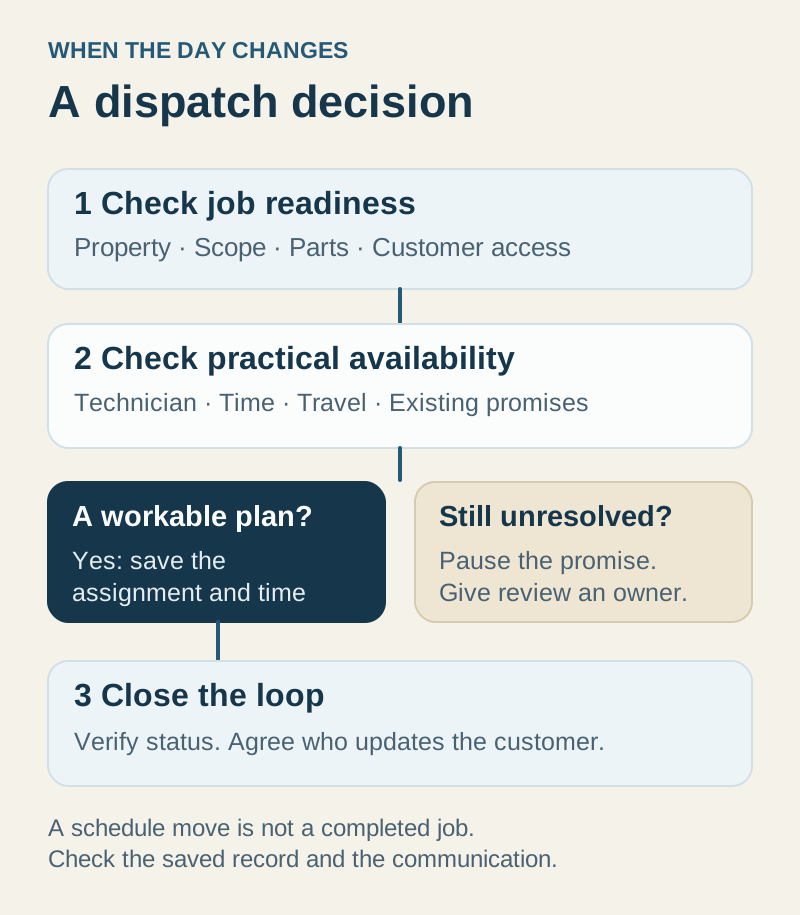
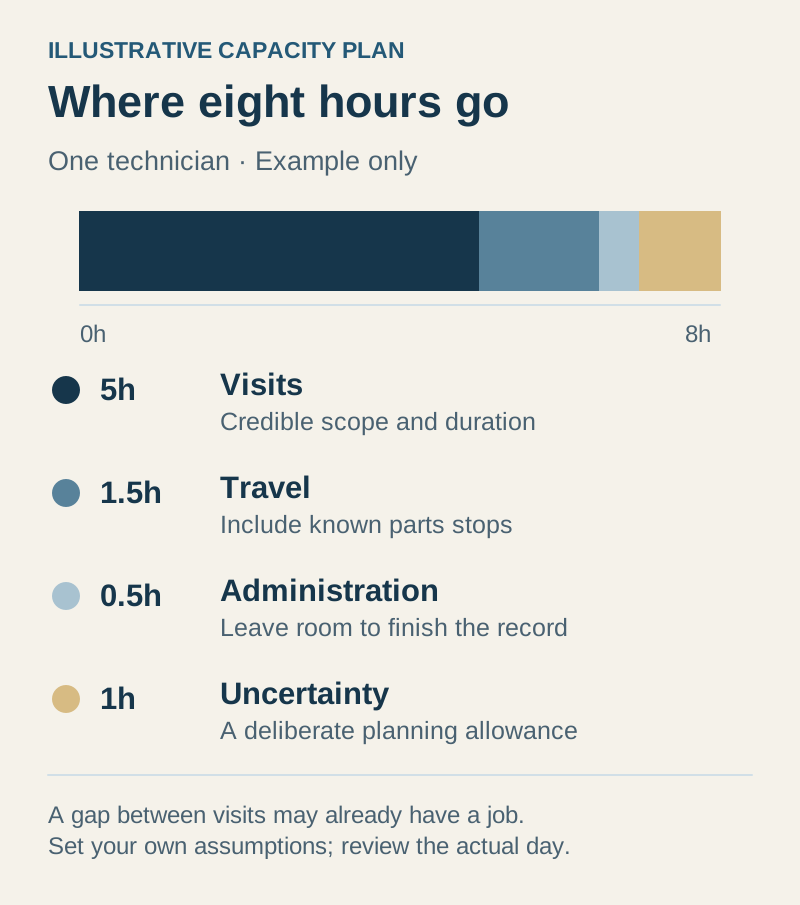
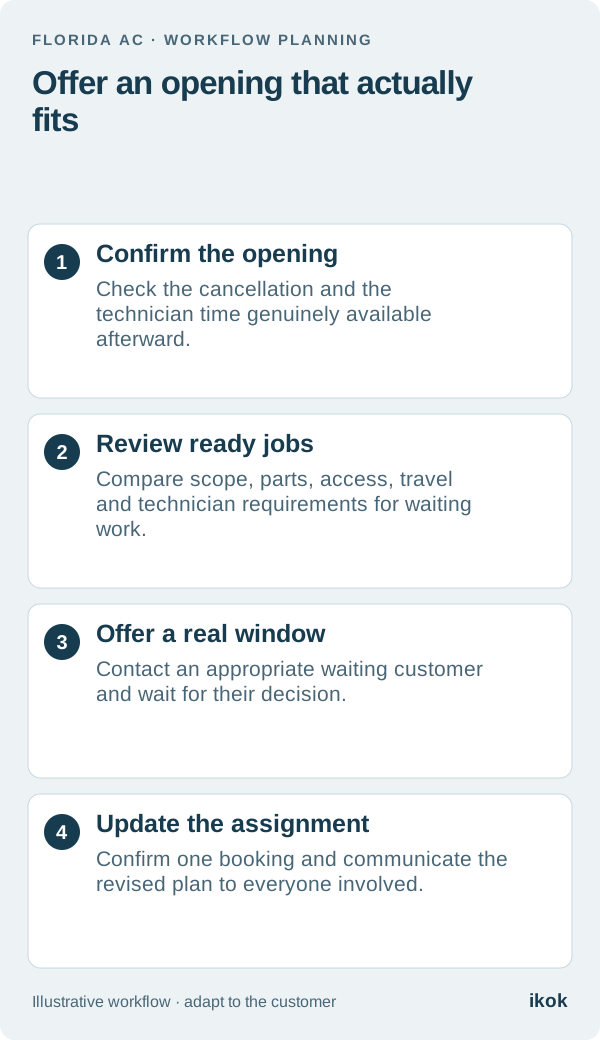
A cancellation can create an opportunity to serve a waiting customer sooner. It does not necessarily free the entire appointment window. The technician may still be traveling, finishing earlier work or committed to another arrival promise later in the day. Check the real opening before announcing availability.
Imagine a fictional two-truck Florida AC company. A customer cancels an afternoon visit, and the office has three other customers who asked about an earlier appointment. The dispatcher reviews the technician's current work and remaining schedule before contacting anyone. This is a readiness decision, not a race to put another name on the board.
Compare waiting jobs by fit, not just age
Start with customers who have a current service request and an appropriate reason to receive the offer. Read any access limits, preferred times and earlier-appointment preferences. Do not use an old customer list as if everyone on it is waiting for a visit.
For each candidate, check the following:
| Readiness question | What would prevent a useful offer? |
|---|---|
| Scope is understood | The team cannot estimate the work needed to plan the slot |
| Technician is suitable | The required qualification, role or support is unavailable |
| Parts and preparation are ready | A necessary item or prior approval is still missing |
| Access can work | The owner, tenant or building contact cannot support the window |
| Travel fits | Moving there would jeopardize another confirmed appointment |
| Customer wants an earlier option | The recorded preference is absent, outdated or different |
Keep important service commitments and the company's reviewed prioritization rules in view. Convenience alone should not override the process for handling urgent requests or work already promised.
Work through the three-customer example
The first waiting job needs a part that has not arrived. The second has suitable scope and travel, but access is available only in the morning. The third is ready, fits the technician's assignment and belongs to a customer who asked to hear about afternoon openings.
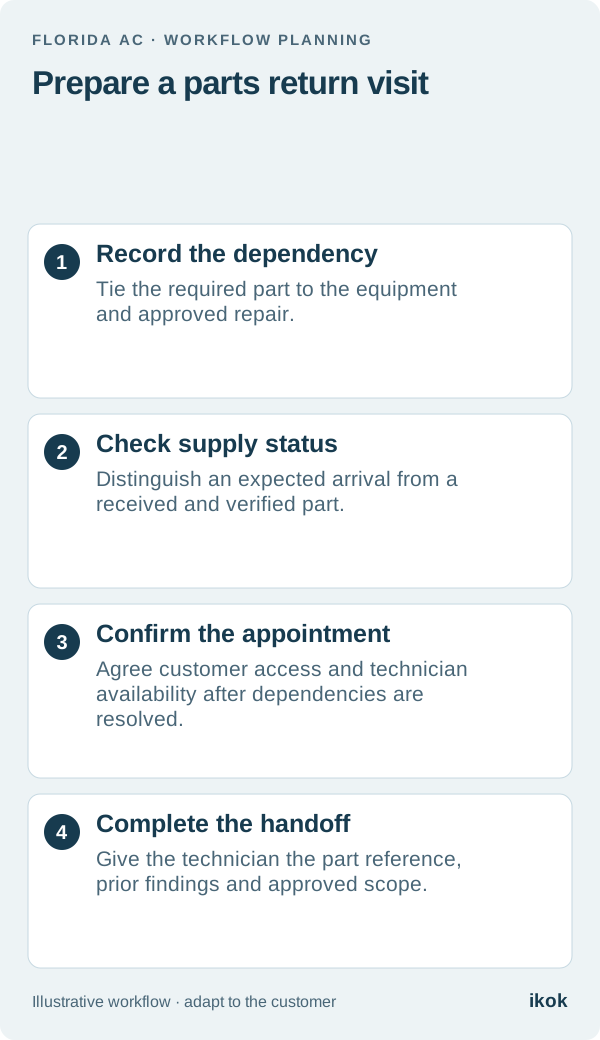
The third customer is the useful next call. The other two remain on the list with their actual blockers. Removing them because they could not take this particular slot would lose useful context. The parts-return workflow helps distinguish “waiting for a part” from “ready to book.”
Offer one clear option and wait for confirmation
An illustrative message could be: “You asked us to let you know about an earlier afternoon visit. We have a possible window tomorrow from the schedule change we discussed. Would you like the office to confirm whether that works for you?” Replace the wording with the actual window and process; do not imply the appointment is already booked.
Use an appropriate preferred channel and a named employee to manage the response. If the customer cannot accept, preserve their existing arrangement. Avoid giving several people the impression that the same single opening is reserved for each of them. State a response deadline only when it reflects the company's real scheduling process.
Update the whole handoff after acceptance
Confirm the new assignment, customer access and arrival window. Remove or resolve any duplicate reservation created during the change. The technician needs the current job context, and the employee responding to later calls needs to see the same appointment information.
Record what happened to the original canceled job as well: does it need another date, a customer callback or closure? Filling the opening should not make that customer's request disappear. The dispatch workflow guide covers reassignment and changing-day communications in more detail.
Evaluate the small-team workflow in IKOK
Use the scheduling and dispatch context to review unassigned work, technician assignments and the day ahead. Ask to demonstrate a cancellation, compare two ready jobs, change the actual assignment and confirm what the office and technician can see.
Treat capacity or map views as planning evidence. They are not a promise of automatic route optimization or a guarantee that another job will fit. Keep the waiting-list review explicit, including any manual worksheet your team uses. A successful change leaves one confirmed customer, a prepared technician and an accurate remaining schedule.