Delegate a complete piece of work
A first office hire can take pressure off an AC owner, but only if the new person knows what they are allowed to decide and where to find the information. “Answer the phone and help with scheduling” leaves the difficult parts unresolved: which work can be booked, which promises can be made and when the owner must become involved.
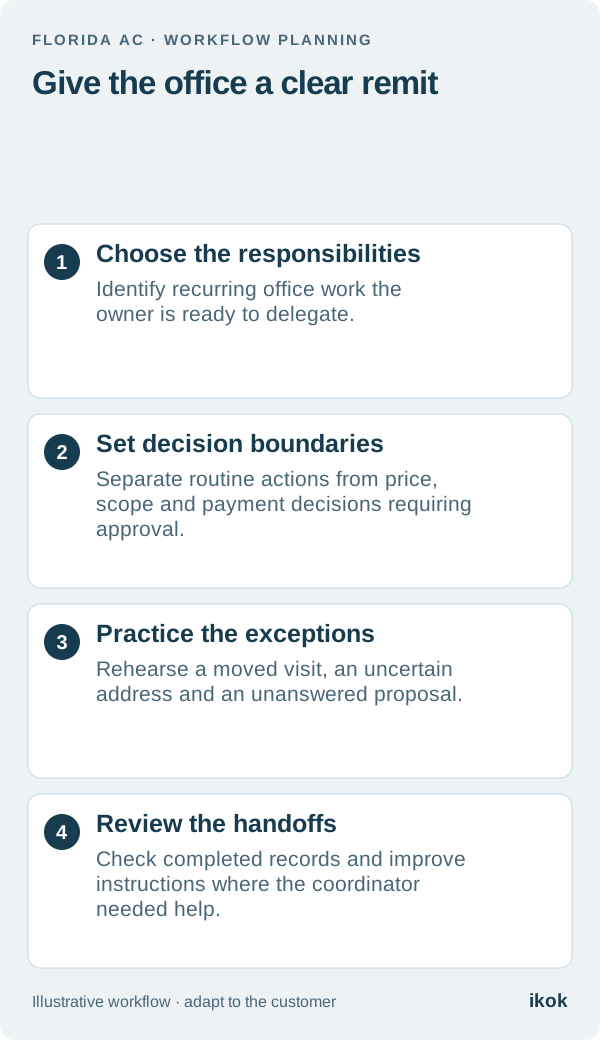
Choose a few complete responsibilities for the first stage. Preparing a service request, confirming property access and keeping an estimate question with its owner are useful examples. The aim is a finished handoff, not a second person collecting messages that still require the owner to reconstruct every job.
Start with a fictional Monday morning
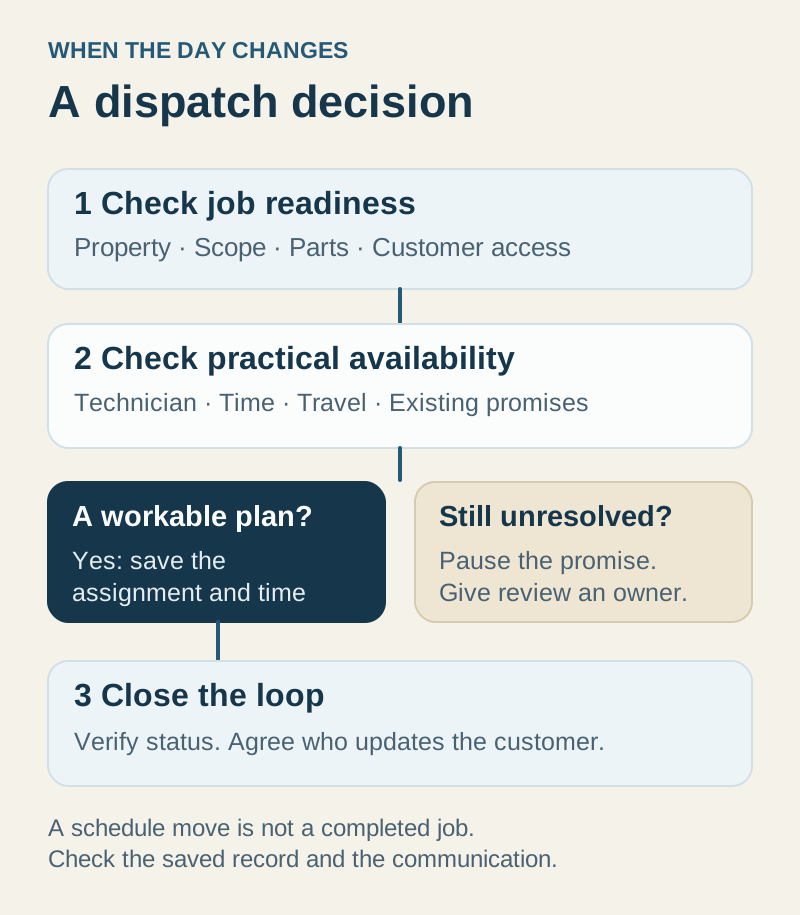
Imagine a small AC company in Gainesville hires a part-time coordinator. On the first Monday, one customer wants to move a visit, another asks whether a replacement proposal can be reduced and a technician needs the access contact for a rental property.
The coordinator can help with all three, but the decisions differ. Moving a visit follows the company's scheduling rules. A price change needs the designated approver. The access question requires the correct property record and, if it is incomplete, a call to the appropriate contact.
Writing those boundaries down lets the coordinator act with confidence. It also keeps the owner from using “ask me” as the answer to every routine question.
Build a practical decision card
Use this as an example of operating responsibilities, then configure the available account permissions accordingly. A written delegation policy and a software permission are related controls; confirm both rather than assuming every decision has a dedicated toggle.
| Situation | Coordinator's next action | When to escalate |
|---|---|---|
| New service request | Verify customer, address and reported concern | Scope or urgency falls outside the agreed intake process |
| Appointment change | Review availability and confirm an allowed move | The move conflicts with a commitment or approval boundary |
| Proposal question | Record the question and route it to the responsible person | Price, equipment or scope needs a new decision |
| Missing property access | Contact the appropriate person and update the job | Access remains unresolved near dispatch |
| Invoice inquiry | Locate the document and record the customer's question | A correction, refund or payment action requires approval |
| Technician recommendation | Find the saved evidence and assign office follow-up | Findings or customer authorization are unclear |
Include who receives an escalation and when the next review happens. A queue called “owner questions” is useful only if someone looks at it consistently.
Give the new hire a dependable source of context
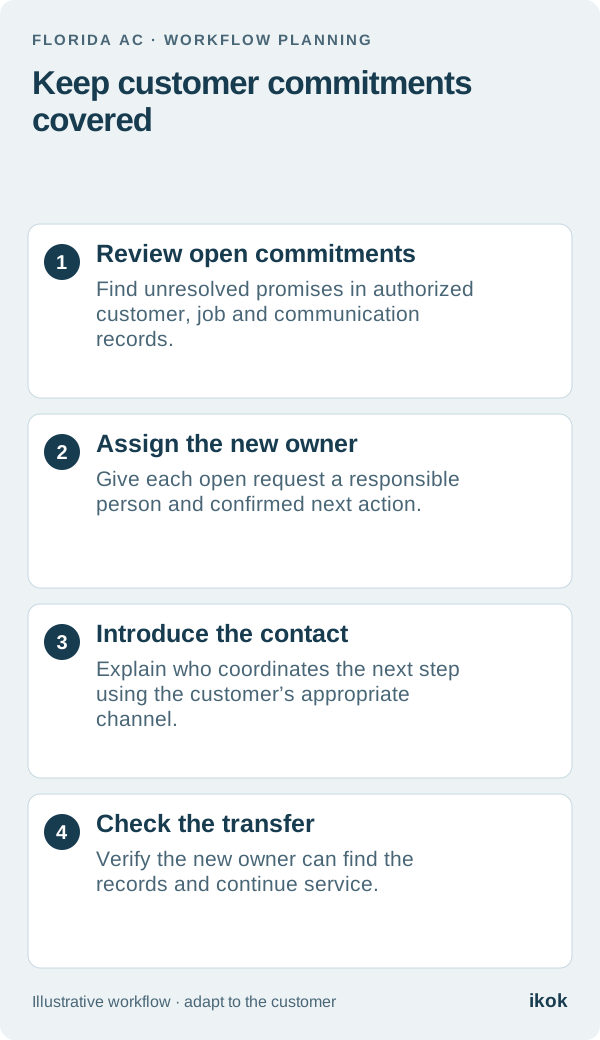
Teach the coordinator to start from the customer, then verify the property and job. Similar names, multiple service locations and old phone numbers are reasons to check identity carefully before updating records or sending documents.
Use the current proposal, invoice or visit record rather than a screenshot copied into a private conversation. Keep internal notes separate from the customer message. If the answer is unknown, record the uncertainty and assign it instead of filling a field with a guess.
For the technician handoff, the office should be able to locate the reported concern, approved scope and access instructions. After service, it should find the evidence and outstanding recommendation without requiring a new verbal summary of the whole visit.
Train through exceptions and review the outcomes
Rehearse a few fictional cases before expanding access: a customer with two properties, a moved appointment, an unapproved price change and a completed visit with a report awaiting review. Ask the coordinator to explain the next action and identify the record that supports it.
At the end of the first working period, review where the coordinator needed help. Was information missing, authority unclear or the workflow hard to find? Improve that specific gap. Counting answered calls alone will not show whether customer requests reached a useful outcome.
Prepare the role in IKOK
Use IKOK's shared customer and service workflow to demonstrate intake context, scheduling, proposals and the office follow-up after a visit. Configure appropriate individual access and confirm the users and modules included in the membership. Avoid shared credentials as a shortcut to onboarding.
The dispatch guide and technician handoff example provide two practical training exercises. Your first office hire should leave each exercise knowing what they own, what they can complete and when to ask for a decision.