When you are the technician and the office
When you’re one man and a van, the next customer can call while you’re still working on the last system. A quote needs changing, tomorrow’s access details are in a text, and a completed visit still needs an invoice. Your software should help you finish those small handoffs throughout the day.
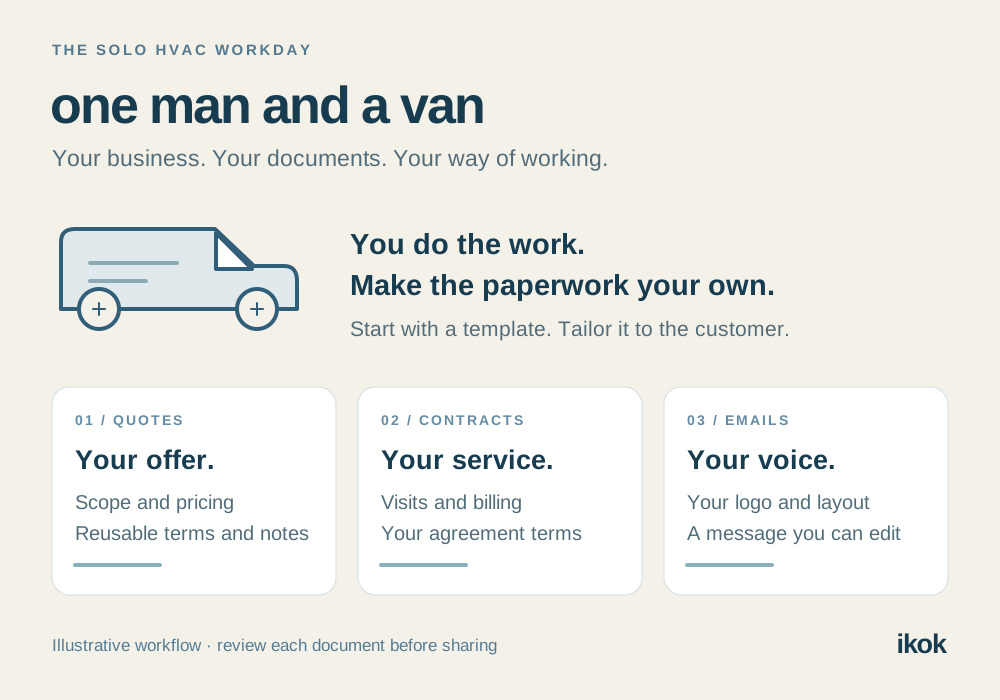
A CRM for a solo HVAC business starts with a dependable connection between the customer, service property, appointment and work record. It should also let your quotes, service contracts and emails reflect the business you have built. Working alone should still feel professional to the customer.
Meet Lee, a fictional HVAC owner-operator. Today brings a service visit, a replacement proposal and a maintenance customer choosing a return date. The examples below are a worked scenario; the screenshots show IKOK with separate fictional demo content.
Start with one complete job
Lee’s first customer reports uneven cooling. Before the visit, Lee opens the customer record, confirms the service property and creates the job with the reported issue. The description captures what the customer noticed; inspection findings belong in the later work record.
- Confirm the customer’s contact details and correct property. A billing address may differ from the service location.
- Set the appointment, assign it to yourself and leave realistic room for travel and parts collection.
- Link the relevant customer equipment when using equipment management, then check the saved job in Schedule → Dispatch.
- After the visit, record the findings, completed work and anything still awaiting a decision.
In Lee’s example, the visit ends with a replacement option to prepare. That becomes the next task. Keeping it distinct from a confirmed installation prevents a promising conversation from turning into a calendar commitment too early. The mobile workflow guide covers the visit record in more detail.
Make a custom quote you can reuse
Begin with a quote you send regularly. In IKOK, Save As Quote Template preserves reusable items, pricing, terms and notes while keeping customer details separate. You can bring a familiar structure into the next quote and review it against the actual property and work.
For this fictional replacement proposal, Lee prepares three parts:
| Quote section | Lee’s example | Review for this customer |
|---|---|---|
| Work scope | Equipment supply, removal of the existing unit and installation work | Confirm the selected equipment and the work the property needs |
| Options | Clearly described alternatives with their own prices and benefits | Explain the differences the customer is choosing between |
| Terms and notes | Access arrangements, included work and exclusions | Remove outdated wording and make the next step clear |
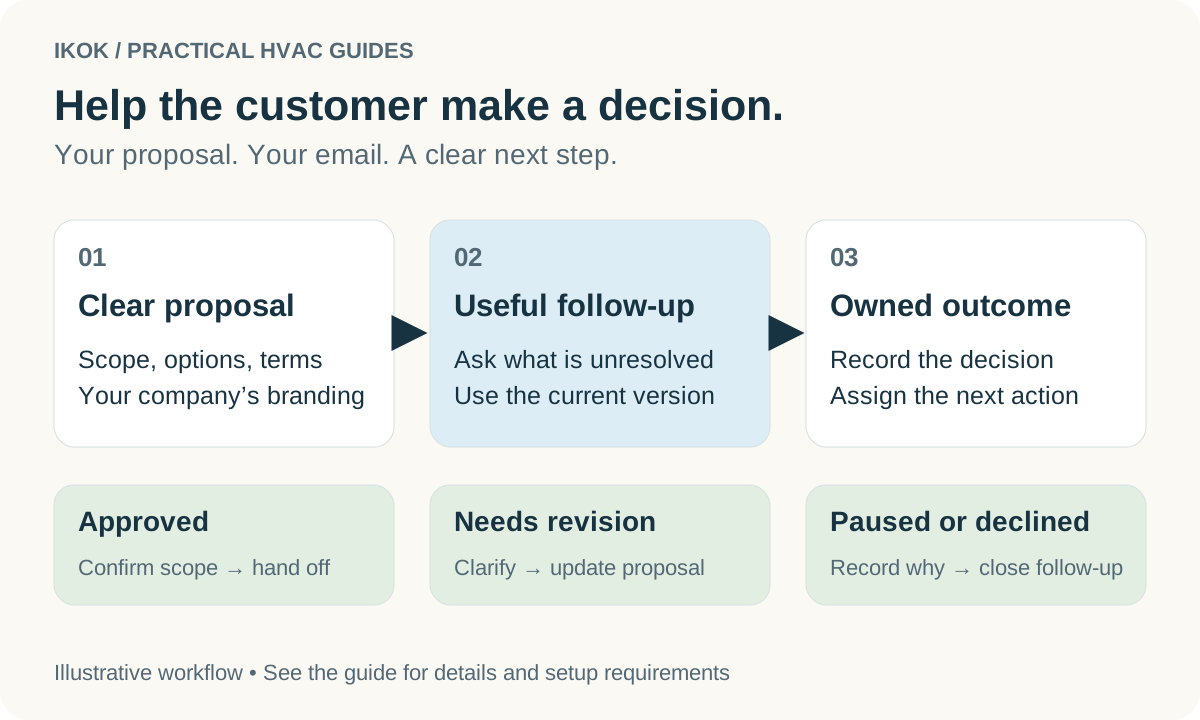
IKOK’s visual proposal presentation gives equipment choices, benefits and option details room to be understood. Customize the offer around what you recommend, then use the customer view to check it before sending. The goal is a clear decision: what is included, how the options differ and what happens after acceptance.
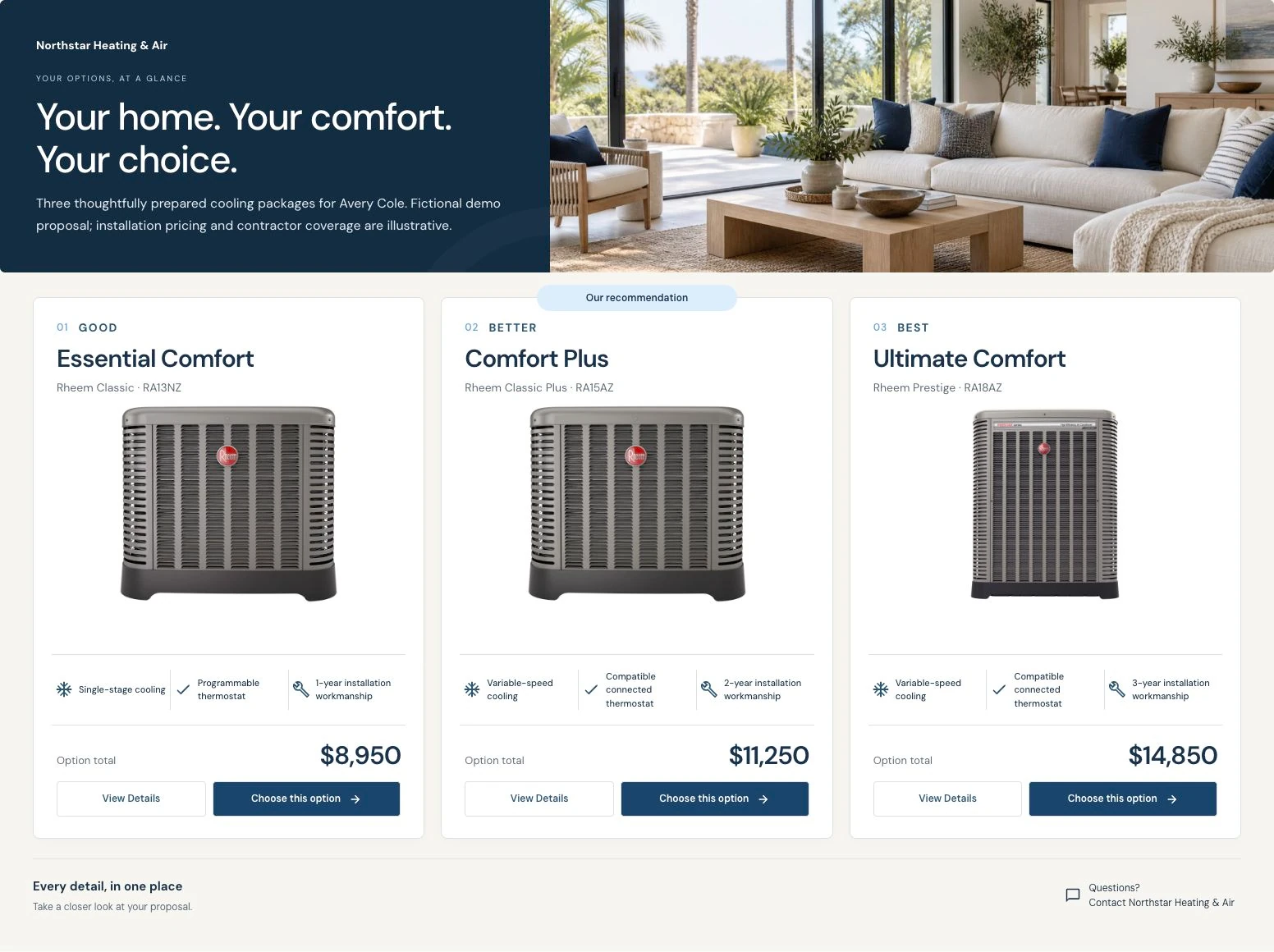
Save the reusable wording after it has been reviewed. On the next job, check the customer-specific choices again. The estimate follow-up guide connects this proposal to the next customer conversation.
Write emails that sound like your business
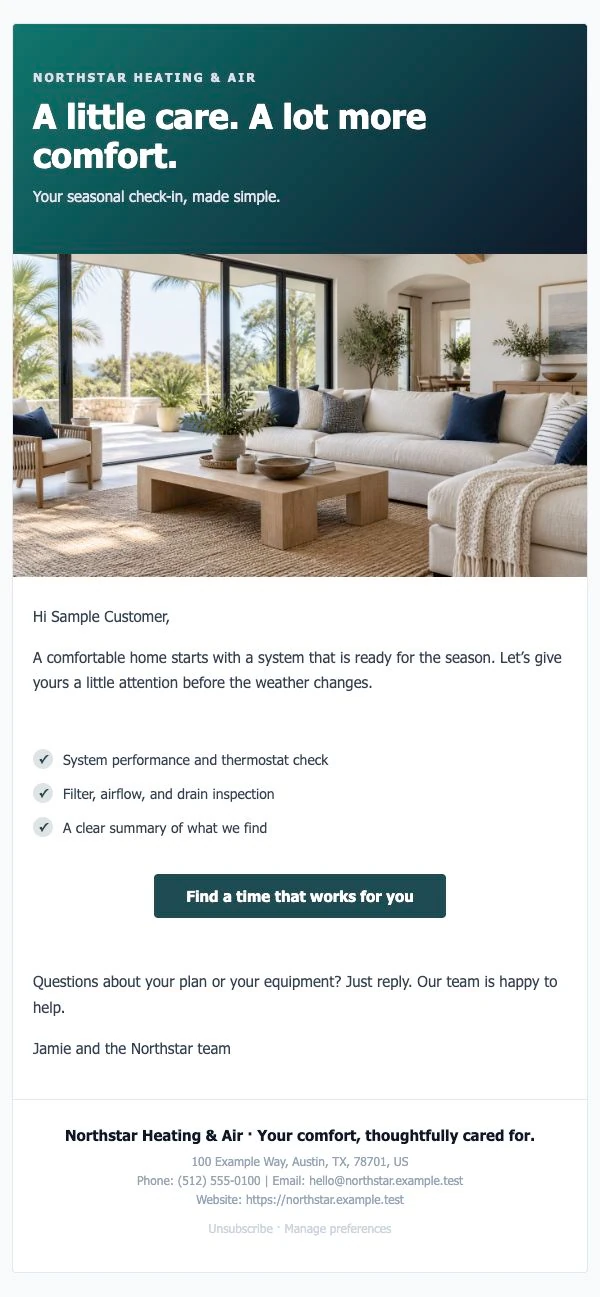
Email Studio supports branded layouts, logo controls and reusable content. Quote emails can use a template while leaving the subject and message available for review. Your regular wording gives you a starting point, and your customer gets the details relevant to their decision.
Here is Lee’s fictional follow-up:
Subject: Your cooling options and the next step
Hi Avery, I’ve included the options we discussed, with the scope and price for each. Please review the access notes before choosing. If you would like to talk through a difference, reply here. Once you’re ready, we can confirm the installation date. — Lee
Notice that this email invites a decision without promising an unconfirmed date. Build your own version, preview it on desktop and mobile, and send a test before publishing a reusable template.
Shape service contracts around the work you deliver
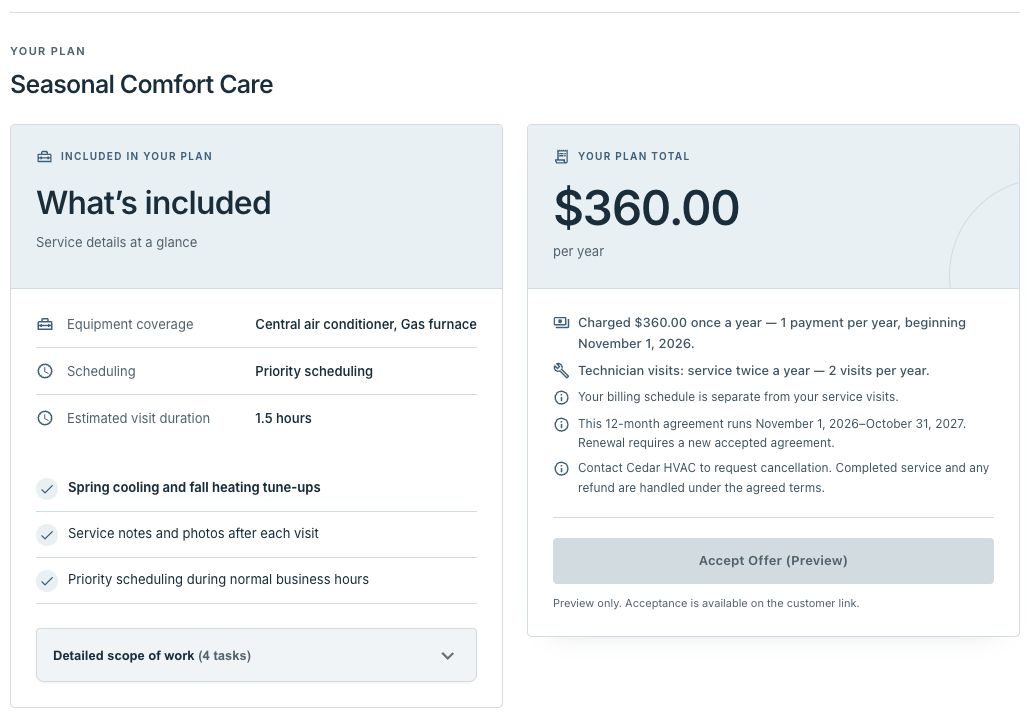
A maintenance agreement needs to describe both the customer’s service and your responsibility to deliver it. IKOK provides package controls for service frequency, billing frequency, duration, tasks, and renewal and cancellation terms. That lets you define the agreement around your business’s actual offer.
Lee’s fictional “Seasonal Care” package is a planning example:
| Decision | Example setup |
|---|---|
| Covered work | Two planned visits for the identified system, with the agreed inspection tasks listed |
| Visit cadence | One visit every six months, with appointment dates confirmed with the customer |
| Billing cadence | One annual payment for the annual agreement |
| Duration | Twelve months |
| Renewal and changes | Review the next term’s scope and price, and record the agreed renewal and cancellation wording before acceptance |
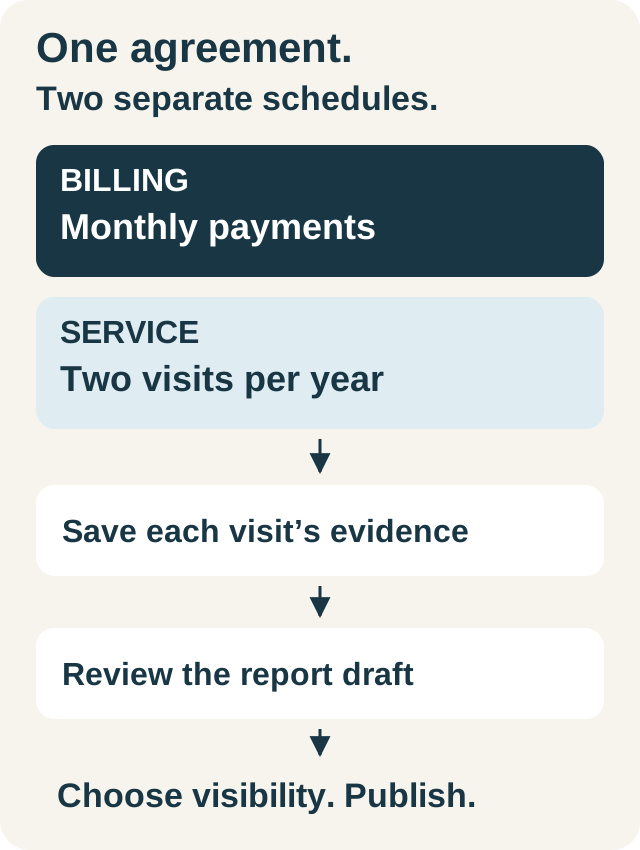
The visit cadence and billing cadence are separate: two visits do not mean two payments. Review the customer’s accepted terms and the resulting service commitments, then keep each planned visit visible through scheduling and completion.
The maintenance agreement guide follows an accepted package through the visit and customer report.
Give calls a useful next step while you work
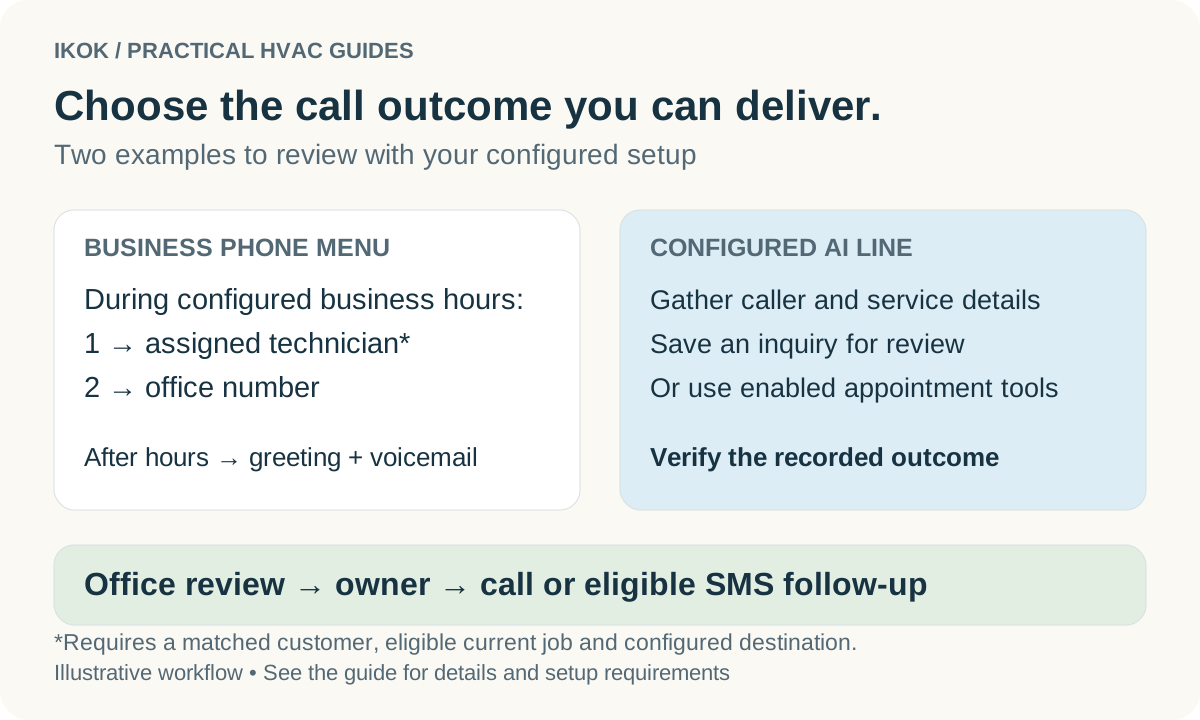
Decide what should happen when your hands are occupied or the working day is over. IKOK’s configured business phone and AI receptionist options can support inquiry capture and callback messages. Enabled scheduling tools can check availability and help with appointments.
For Lee, a useful starting scenario is a caller leaving their service request and callback details for review. Lee then checks the context and responds when available. A saved inquiry and a confirmed appointment remain distinct outcomes.
Where SMS is activated, continue an authorized customer conversation through the inbox. If you later hire office help or a technician, permitted staff can participate in that same customer conversation and keep private internal notes separate. Explore the call-answering workflow to plan the handoff.
Finish the day with a clear tomorrow
Use this short review against your actual jobs:
- Completed work: Are the findings and work details saved? Prepare the customer summary, checking which sections are client-visible.
- Open decisions: Does each pending quote, part or return visit have a specific next action?
- Invoices: Is the invoice ready for the right customer and completed scope? Review the configured QuickBooks workflow if you connect your accounting.
- Tomorrow: Are the property, access details, parts and appointment times clear?
IKOK’s job- and maintenance-based report sections can use saved source details, with additional sections for your customer summary. Reuse those records so the evening review moves work forward. Our closeout guide shows what to capture at the visit.
Bring your quote. See your own workflow in IKOK.
For one man and a van, a useful demo should resemble tomorrow’s work. Bring one recurring quote, one service-contract example and an email you send often. We can walk through the available customization, a sample job and the next customer action together.
Your selected plan, modules, setup and any additional work are agreed before you commit. Phone, AI and SMS require the applicable configuration and activation; SMS also depends on sender readiness, permissions and customer consent, with applicable usage charges.
Book a personal IKOK walkthrough for your solo business and see how your documents and working day fit.
A few practical questions
Before you put it to work
What should I look for in HVAC software when I am one man and a van?
Test one complete job: customer and property details, an appointment, work records, a reusable quote and a clear follow-up. Bring your own documents so you can see how the available customization fits the way you work.
Which quotes, contracts and emails can I customize in IKOK?
IKOK supports reusable quote items, pricing, terms and notes; branded email layouts and editable content; and maintenance package tasks, service and billing frequencies, duration, renewal and cancellation terms. Confirm the modules and setup included in your selected plan.
Can I keep using IKOK when I hire my first person?
Discuss the users and permissions your next role needs, then test the handoff together: find the customer, review unfinished work, update the appointment and continue the customer conversation using the enabled modules. The plan and access should match the new role.