After a storm interrupts the week, yesterday’s appointment list becomes a list of conversations to revisit. Some customers are available, some properties cannot yet be accessed, and some requests have changed. Releasing every postponed job back to the calendar can create promises the crew cannot keep.
Use National Weather Service hurricane information and the applicable local guidance for current conditions. The schedule recovery process below begins when the business is ready to review field operations; a calendar entry is not confirmation that a site is safe to service.
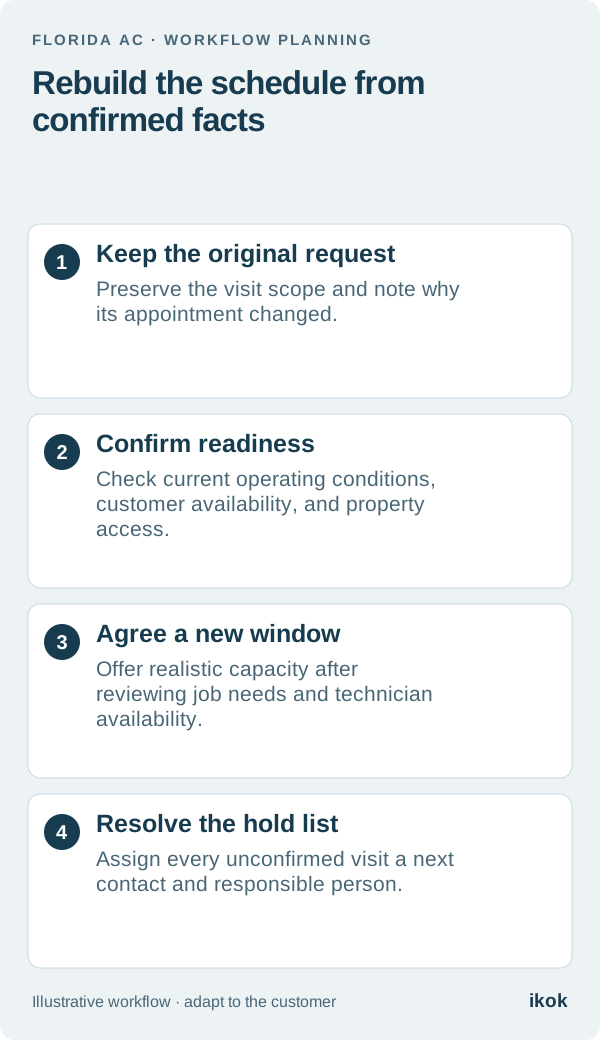
Preserve what the customer originally booked
Imagine a fictional Florida AC company with two technicians and a day of postponed maintenance and repair visits. One technician is available to return, a condominium manager has changed access arrangements, and a homeowner now wants to discuss a different concern.
The office keeps the original request attached to each job and records the reason for the schedule change. A customer who booked maintenance should not silently appear as a new repair appointment. Keep the history understandable so the person returning the call can explain what was booked and what still needs agreement.
Build a recovery board before promising times
Start with a small working table rather than treating every postponed visit as equally ready. The labels describe coordination status, not technical urgency or a safety determination.
| Working status | What the office knows | Next action |
|---|---|---|
| Ready for a new window | Customer availability and access are confirmed | Review crew capacity and offer a window |
| Awaiting access | Property contact has not confirmed entry | Contact the named access owner |
| Awaiting customer | The customer has not replied | Record the next permitted contact attempt |
| Scope needs review | The original request has materially changed | Arrange review before promising the work |
| Operational hold | Management has not cleared the proposed visit | Keep the hold and its responsible owner visible |
Add the original appointment, customer contact, last update, and next review time. One named person should maintain the board during each office shift so two people do not offer the same remaining capacity.
Separate a changed request from an existing promise
The fictional homeowner reports a new equipment concern while discussing a postponed maintenance visit. The office records the new request in the customer history and asks the service team to review the required scope. It does not describe the new work as covered maintenance before that question has been resolved.
The same distinction applies to payments and agreement obligations. Moving a service visit does not itself rewrite accepted maintenance billing terms. If the customer raises a billing question, route it to the person responsible for the agreement and record the answer separately from the appointment update.
Offer capacity the crew can actually support
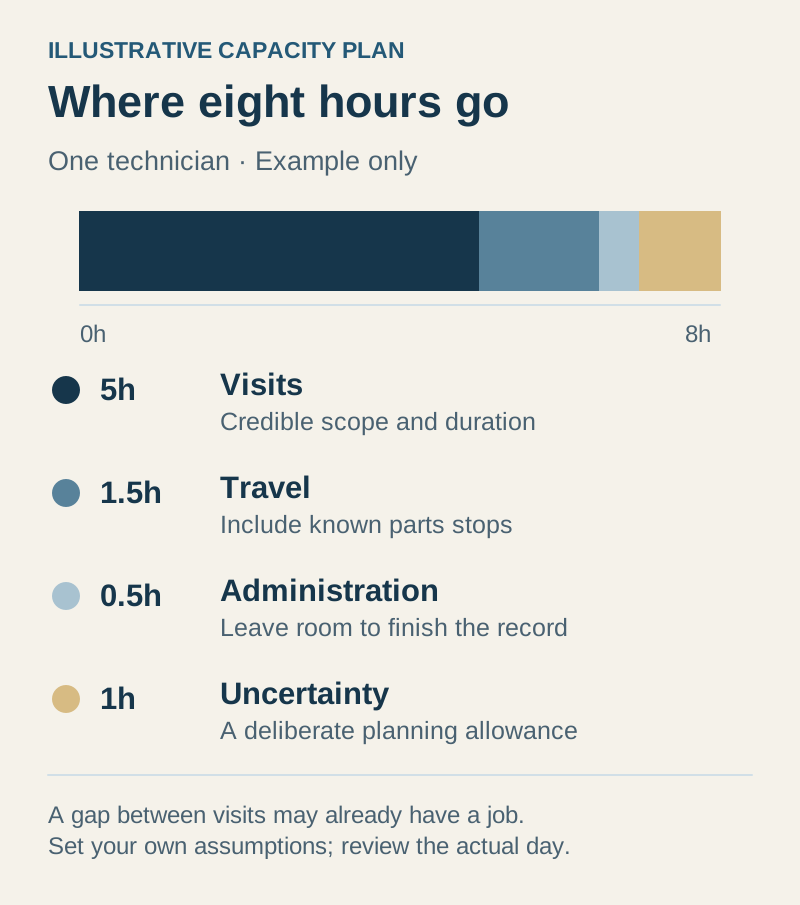
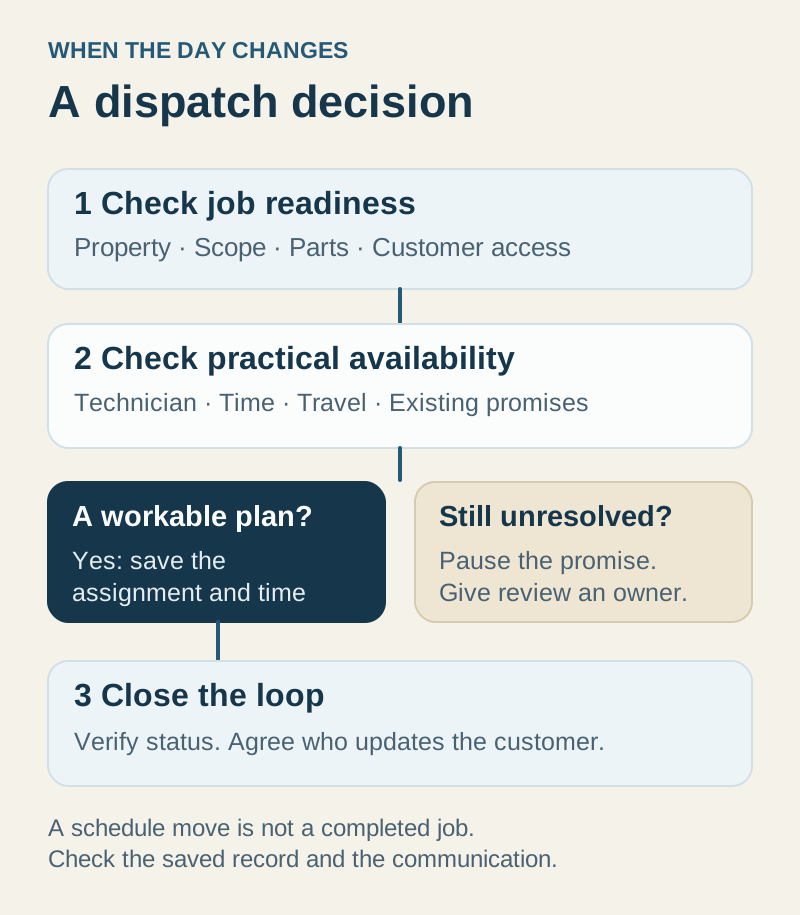
Review technician availability, expected visit requirements, travel constraints, property access windows, and time reserved for uncertain jobs. These inputs need human judgment. A full-looking calendar is not evidence that every appointment can be completed as promised.
A useful update might be: “Your maintenance visit remains open. We have confirmed your property access and can offer Thursday afternoon. Please reply to confirm that window; we will record a different arrangement if it does not work for you.” Use the customer’s permitted preferred communication channel and distinguish an offered window from an accepted one.
Avoid presenting a tentative slot as a guaranteed arrival time. When conditions change again, keep the latest agreement easy to find alongside the reason for the change.
Review the unresolved list at each handoff
At the end of the office shift, review the held jobs as carefully as the scheduled ones. Each needs a responsible person and a specific next action. “Manager to confirm condominium entry tomorrow morning” gives the next dispatcher a useful task; “storm follow-up” does not.
Once a visit happens, capture its outcome and any further work separately. Do not count an appointment as recovered merely because it moved onto the calendar. The busy-season planning guide offers a broader approach to protecting capacity when demand and available staff change.
Use one disrupted day in the software walkthrough
Open IKOK’s scheduling and customer workflow with a fictional day of postponed visits. Ask to see the original job context, a revised appointment, the customer’s current arrangement, and the next action for a held job.
Check how the office and technician find the same current record. The software can keep work and context connected; your team still decides readiness, priority, and realistic capacity. The dispatch workflow guide provides the underlying handoff structure.