A humidity complaint can arrive as a feeling rather than a clear equipment request: “The guest room is cool, but it still feels clammy.” The office needs enough detail to prepare a useful visit without converting that description into a diagnosis. A well-kept intake gives the technician a starting point and gives the customer confidence that someone heard the actual concern.
UF/IFAS explains that air conditioning contributes to both comfort and moisture control in Florida homes. That context supports asking about the experience in the home; it does not establish what caused a particular complaint.
Start with the customer’s own description
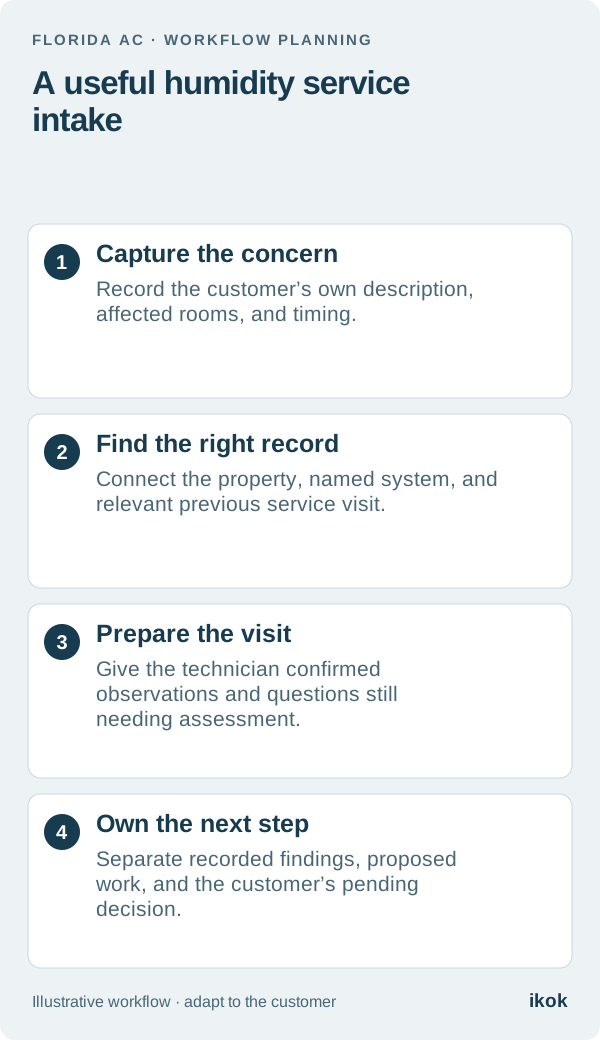
In this fictional scenario, a returning homeowner calls a small Florida AC company about a guest bedroom that feels different in the afternoon. The previous invoice says “maintenance completed,” but it does not describe this new concern. The dispatcher opens a new service request and records the homeowner’s words, when the change was first noticed, and whether it affects other rooms.
Avoid turning “clammy” into “failed equipment” in the job title. A useful title is “Guest bedroom comfort and humidity concern.” It leaves room for the technician to assess the situation and prevents an early assumption from being repeated as an established finding.
Use a short intake card
The following card is an office handoff, not a technical diagnostic checklist. Record what the customer knows and leave unknown details visible.
| Intake field | Useful information to capture |
|---|---|
| Customer’s concern | Their description, without a promised explanation |
| Location and timing | Rooms affected, when noticed, and whether it recurs |
| System identity | The named system serving the area, if confirmed |
| Recent changes | Customer-reported changes in occupancy, controls, or prior work |
| Existing evidence | Relevant service record or customer-provided photo, clearly attributed |
| Visit arrangements | Who will provide access and who will discuss findings |
If the customer mentions a reading, preserve its source and timing rather than treating it as a technician-verified measurement. Do not ask someone to open equipment or perform checks to complete the form. The office can book an assessment with questions still unanswered.
Separate prior history from the new request
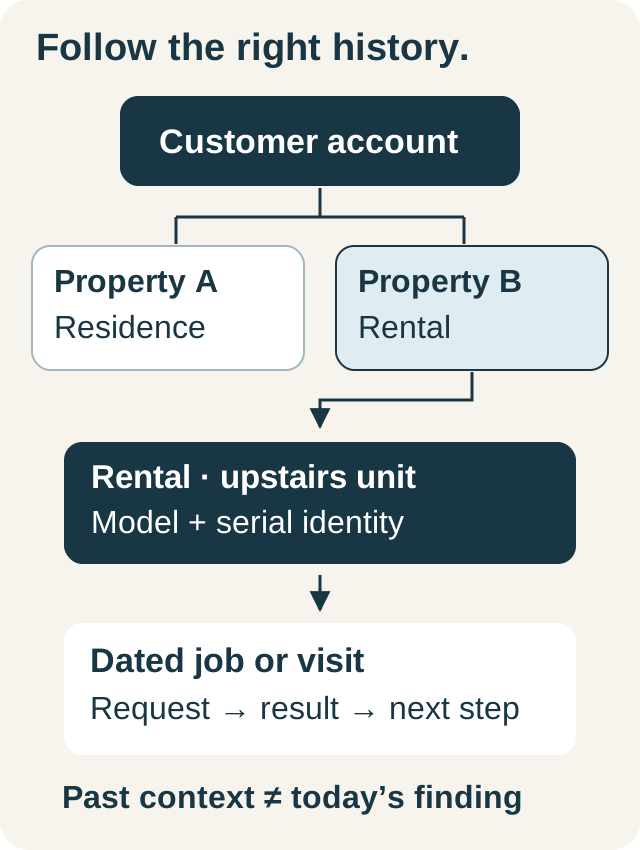
Open the correct property and equipment record. A customer with two systems may describe a room by name while the previous visit used an equipment label. Note that connection only when it is known. If it needs confirmation on site, make that a first-visit question.
Link the earlier visit instead of copying its conclusion into the new complaint. “See the service record from the last visit” preserves context; “same problem again” assumes a connection that has not been established. The broader customer and property history guide explains how to keep those records useful across returning visits.
Give the technician a question, not a conclusion
The dispatcher’s handoff might read: “Homeowner reports afternoon discomfort in the guest bedroom. Other rooms reportedly feel normal. Confirm the system serving that space, review the previous visit, and record the assessment and any recommended next step.”
The technician then distinguishes customer reports from observations and findings made during the visit. If additional work is proposed, describe its scope and the customer decision required. A completed assessment should not make an unapproved recommendation disappear, and an unresolved concern should not become a promised repair simply because the office needs to close the appointment.
Close the communication loop
Before closing the office handoff, identify which outcome applies: the customer received the findings, a further assessment needs arranging, an estimate awaits review, or more information is needed. Give the open item an owner and a practical contact date using the customer’s preferred permitted channel.
For the fictional guest-bedroom call, the useful next action could be “Office to send the reviewed findings and arrange the follow-up discussed with the homeowner.” That is clearer than a generic “humidity callback” reminder. Refer to the office-to-field communication guide for keeping the next conversation connected to the job.
Demonstrate the complete intake in software
When reviewing IKOK’s HVAC workflow, use this scenario to open the customer, locate the property and equipment history, prepare the visit, and find the recorded outcome. Ask how office staff and technicians see the relevant information with their assigned permissions.
The software’s role is to preserve context and ownership. The demonstration should show a person finding the original concern and the next decision without searching several conversations; technical assessment remains the responsibility of the qualified service team.