The office receives a call the morning after a completed job: “What happens next?” The technician entered “done,” but the customer expected an estimate for additional work. The visit may have been performed correctly; the handoff was incomplete.
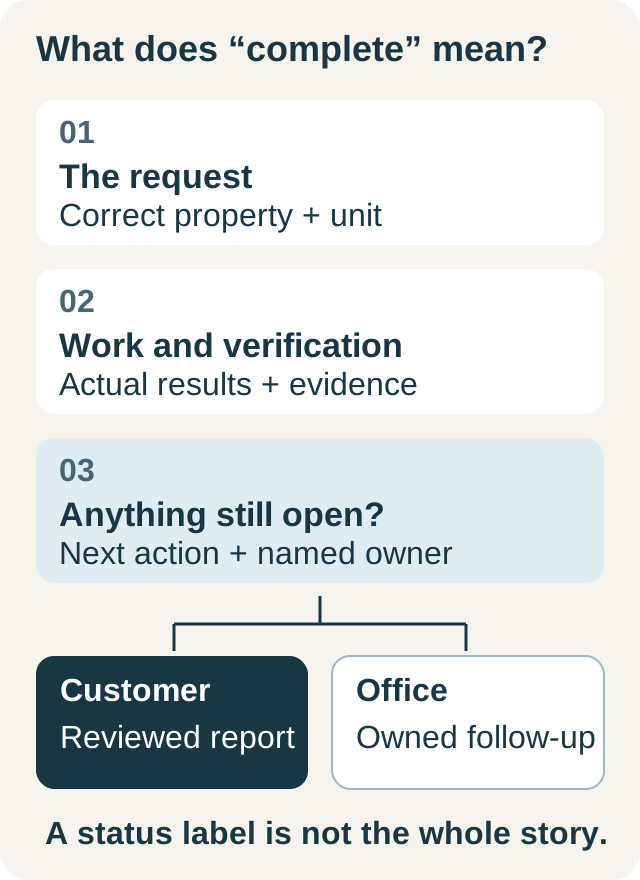
A useful closeout makes three things explicit: what the customer requested, what the team did and verified, and what remains open. This guide addresses that operating handoff. Technical checks and repair decisions belong to qualified technicians using procedures appropriate to the equipment and work performed.
Close the information gap before changing the status
Do not make the status label carry the whole story. A completed service visit can include a recommendation that needs approval, a condition that could not be reproduced, or a separate return appointment. Record those outcomes clearly so the office knows what completion means.
| Closeout question | Record to leave behind |
|---|---|
| What was the customer asking for? | Their reported concern and the unit involved |
| What was performed? | Specific work and applicable task outcomes |
| What was verified? | Actual observations, readings, or other relevant evidence |
| What remains unresolved? | A clear limitation, recommendation, or further assessment |
| Who acts next? | Named office or field owner and a concrete action |
This is an operational checklist, not a universal repair procedure. A photo can document a condition but cannot establish every performance result. A checked box should represent the work that item describes, with the evidence your procedure requires.
Worked example: the visit is complete, the decision is open
For a fictional visit, Taylor reports an intermittent issue. The technician records the unit identity, performs the authorized work, and documents the checks actually completed. A separate recommendation needs an estimate and customer approval.
Weak closeout: “Finished. Customer informed.” Useful closeout: “Authorized work completed; results recorded against the downstairs unit. Additional recommendation explained. Office to prepare the separate estimate and confirm the customer's decision.” The actual technical findings belong in the saved task results and report, rather than being invented to make the note sound complete.
Before leaving, the technician explains which work was completed and which action still belongs to the office. The office receives a named task and checks that the customer-facing report communicates the same distinction. A follow-up call can now start from the open recommendation instead of making the customer repeat the visit.
Use a six-step closeout routine
- Check the record identity. Confirm the correct customer, property, and equipment before saving results.
- Resolve the task outcomes. Record pass, fail, not applicable, or unrecorded as appropriate. Explain missing work rather than treating silence as success.
- Attach relevant evidence. Use the proper units for readings and identify what each photo shows.
- Separate work from recommendations. An observation, an approved repair, and a proposed estimate are different events.
- Assign the next action. Name the person responsible for a part, estimate, customer decision, or return appointment.
- Review the customer handoff. Check the report and message for consistent wording, correct attachments, and intended visibility.
Keep the routine brief enough to use on an ordinary visit. Add task-specific requirements through the relevant job or maintenance checklist instead of forcing every technician through unrelated fields.
Use IKOK's saved evidence and report workflow
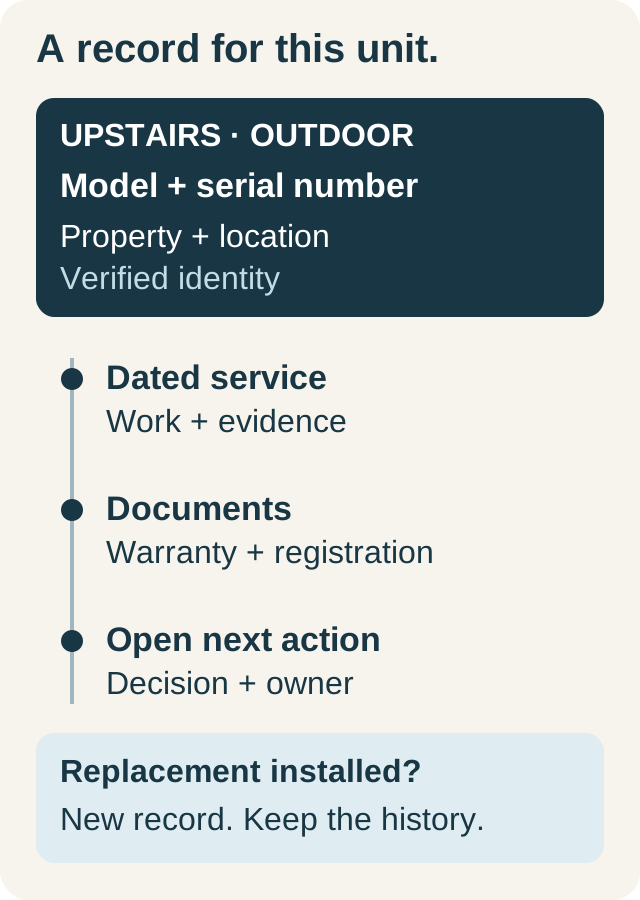
IKOK job records support task and checklist outcomes, work performed, technician notes, and visit context. Maintenance execution records results by covered unit, including applicable measurements and evidence photos. These details give the office something more useful than a completion timestamp.
Saved job and maintenance information can supply report sections. The report editor lets your team review the wording and choose customer or internal visibility at section and content level. Publish after that review. Internal discussion should not become customer-facing simply because it sits near a photo of the completed work.
Keep the report aligned with the source. If a reading or task result was entered incorrectly, correct the working record and review the report again. If wording in the report has been customized, check it deliberately; a customized explanation should not be assumed to update itself. Published reports change through a new publication, not silently with every draft edit.
Reuse a closeout layout that matches your service
In IKOK's report builder, reusable templates and sections let your team shape the report rather than start from a blank page each time. For the fictional visit above, use client-visible sections called “Your request,” “Work completed,” “Results recorded,” and “Next steps.” Keep an “Office handoff” section internal. Select the relevant saved job or maintenance sources, adjust the wording and order, and omit irrelevant sections.
This gives the technician one evidence record and gives the office a consistent review surface. It also makes the next action prominent for the customer without exposing internal discussion. Confirm the templates, permissions, and plan options your team needs during setup.
Review callbacks without assuming the cause
When a customer calls again, link the conversation to the relevant prior visit and capture the new concern in their own terms. Do not label it poor workmanship, a warranty repair, or a new charge before assessment. Compare the original request, saved findings, work performed, verification, and open recommendations.
Use the review to identify the actual gap. Was the equipment identity unclear? Was an authorization missing? Did the office never receive the estimate task? Was the later concern different from the earlier one? These questions help improve the process without making an unsupported promise that documentation alone will eliminate callbacks.
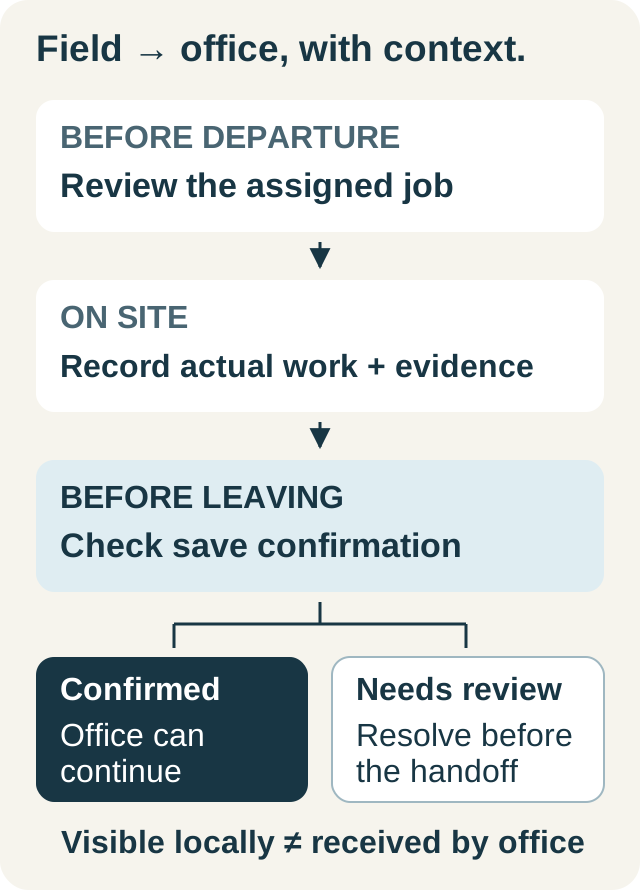
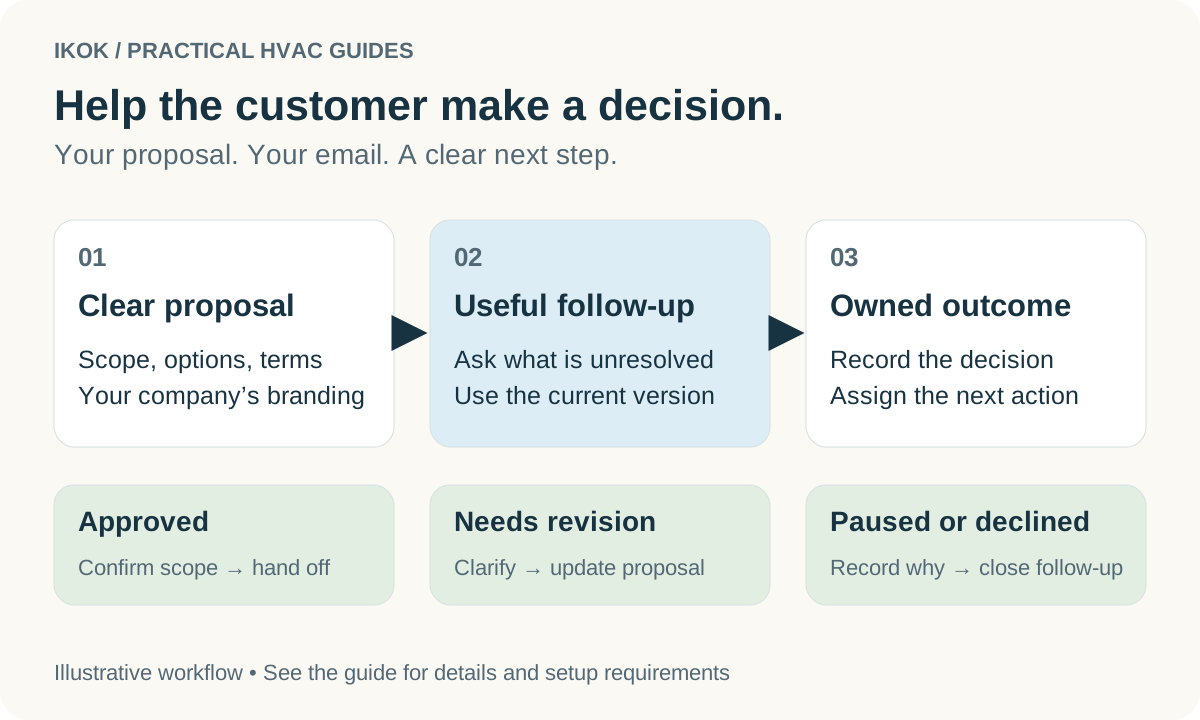
For estimates that remain open, use a defined estimate follow-up workflow. For technicians entering the record on site, use the field workflow guide to plan saves and office confirmation.
Book an IKOK walkthrough around a completed visit with one unresolved recommendation. Ask us to show the evidence, the internal handoff, and the exact report the customer would receive.
A few practical questions
Before you put it to work
Does a closeout checklist prevent every HVAC callback?
No. It can make avoidable communication gaps easier to catch and help the team review repeat visits. It does not guarantee a repair outcome or replace equipment-specific diagnosis and verification.
Should a technician mark an unperformed check as passed to close the job?
No. Record what was performed and what was not, with the appropriate outcome and reason. An unrecorded, failed, or not-applicable item is different from a verified pass.
How does IKOK connect saved work to the customer report?
IKOK reports can draw from saved job or maintenance evidence. Review the generated content and client or internal visibility, then publish the report you intend to share.