Give the customer something concrete to decide
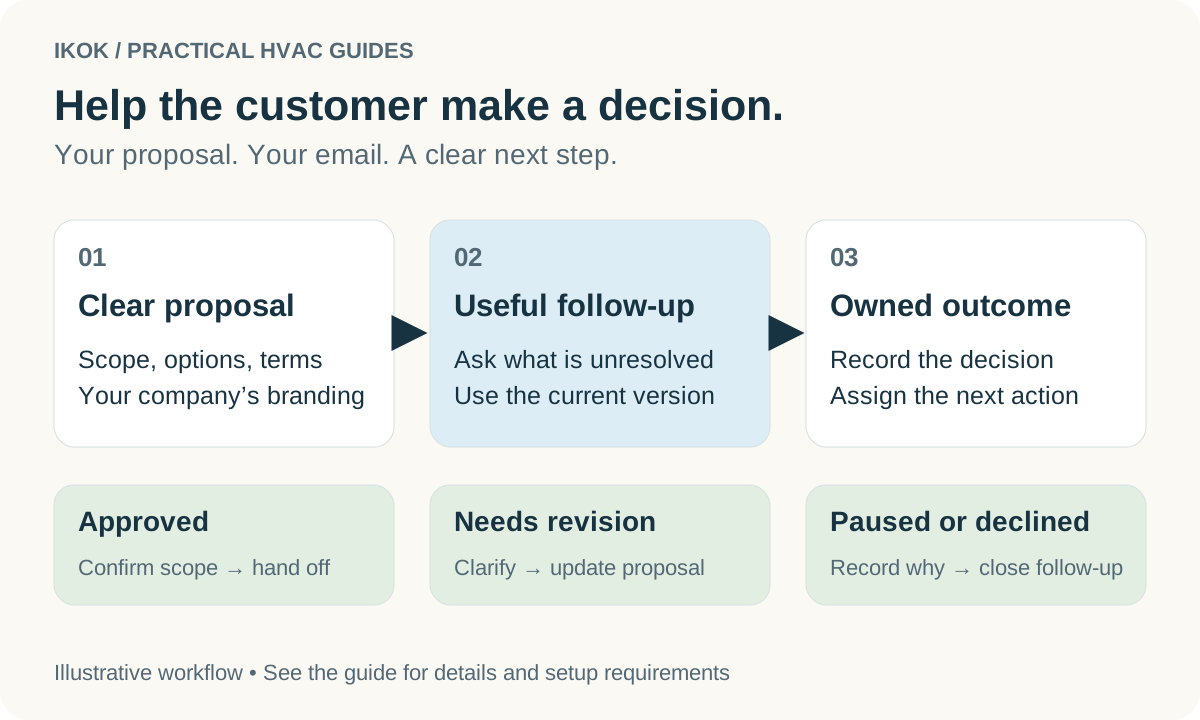
An HVAC estimate follow-up works best when the original proposal already answers four questions: what work is included, what choices exist, what the customer will pay, and what happens after approval. A beautifully branded document cannot compensate for an unclear scope. A detailed scope should not require the homeowner to decipher a technician's shorthand.
Start by separating a repair decision from an equipment replacement decision. A repair may need one clear scope. A replacement may benefit from several genuine options, with differences explained in ordinary language. Do not create artificial tiers just to fill three columns.
Customize the proposal around your company
IKOK supports reusable quote and invoice document templates, proposal presentations and customer-facing option pages. Use that flexibility to make your documents reflect how your company sells and delivers work.
| Customize this | Put useful information here | Avoid this mistake |
|---|---|---|
| Company presentation | Your identity and contact details | Sending another company profile's information |
| Scope and work description | Included work, assumptions and exclusions | Copying a previous customer's site details |
| Options | The actual differences between proposed packages | Implying an illustration is the equipment being supplied |
| Terms and validity | Your reviewed terms and the decision period | Treating old prices or dates as current |
| Payment information | The applicable agreed payment arrangement | Assuming approval itself means a payment was collected |
| Proposal email | A short introduction and a relevant next step | A generic message with unresolved customer fields |
A reusable template should save wording, not carry the last customer's transaction into the next one. Preview each new proposal with its actual customer and company context before sending.
A worked follow-up sequence
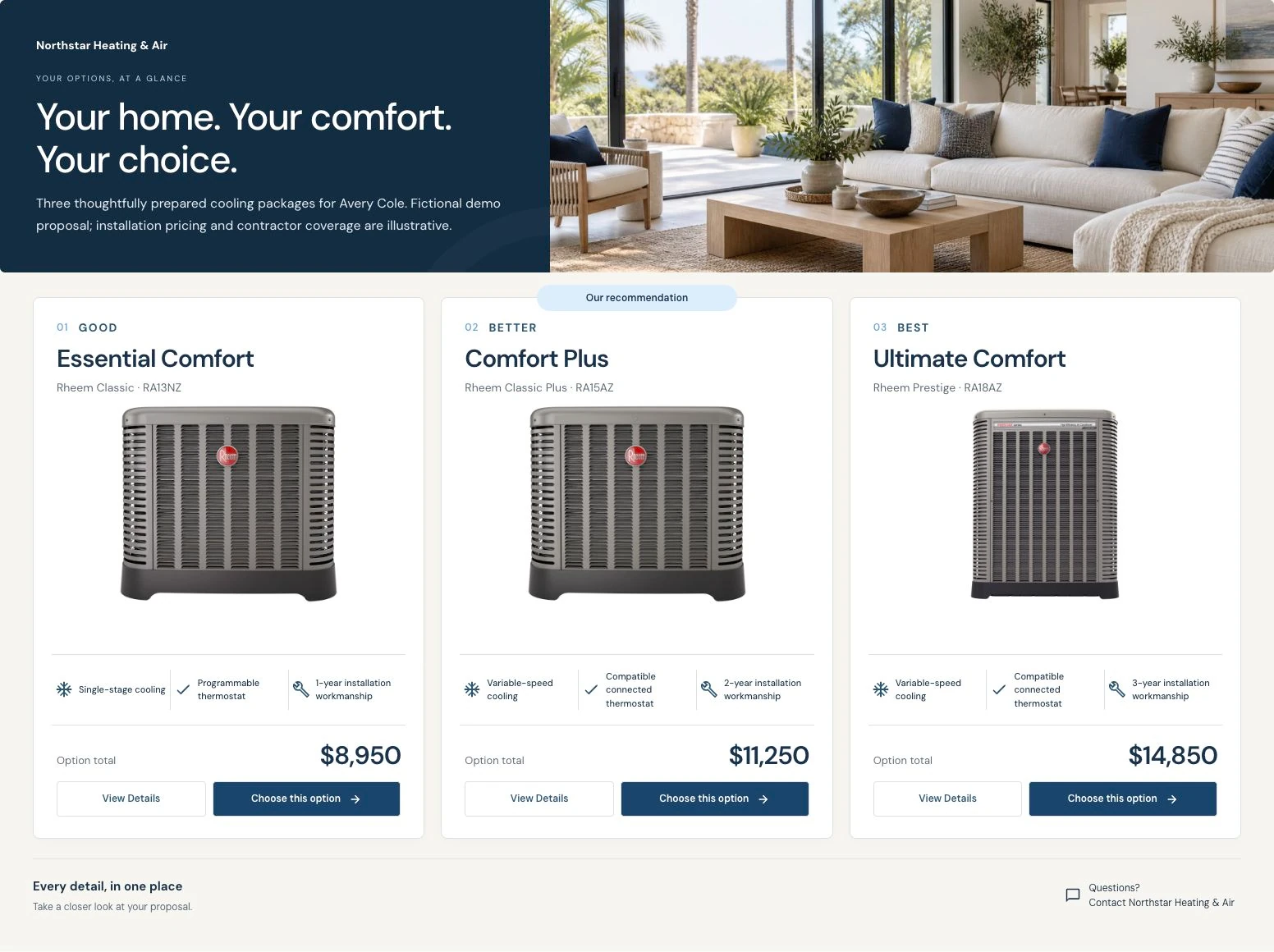
Consider a fictional homeowner, Avery, who received options for a replacement system after an assessment. Your team has explained the differences, but Avery has not selected one. The aim is to find the unresolved question, not to send repeated demands for approval.
When you send the proposal: “Hi Avery, your proposal includes the three options we discussed. Each option explains its scope and sample coverage terms. Please open the details before choosing. If a difference is unclear, reply and I can walk through it with you.”
At the follow-up time you agreed: “Hi Avery, was the main question the scope of the middle option, the timing, or something else? I can clarify that before you decide.”
If the customer wants to wait: “Thanks for letting me know. I’ll note that you are pausing the project. If you return to it later, we can confirm availability and whether the proposal needs updating.”
These are editable examples, not an automatic sending schedule. Let the customer's preference, the proposal's validity and the actual urgency determine timing. A same-day repair decision and a planned replacement should not share a mechanical three-message cadence.
Make email customization part of the workflow
In IKOK, the proposal email workflow selects from published email templates, supplies customer and company context, and provides a preview before sending. Email Studio supports reusable content so the office can start from an approved message and tailor the introduction for the current proposal. Confirm the available template controls in your account during setup.
Create separate wording for a repair estimate, a replacement-options proposal and a revised proposal. Keep the essential action obvious. For example, a revised proposal email should say what changed and direct the reader to the current version; it should not quietly reuse the first email's promise.
Review the recipient, subject, rendered body, proposal link and attachments together. A correct email with the wrong document attached is still the wrong communication. Scheduling an email is useful when appropriate, but the office must still own the next response.
Record a decision, not just an email event
Use a small review list with a proposal reference, responsible person, last meaningful customer response, next action and due date. “Sent” means a communication was sent; “viewed,” when available, does not mean the customer understood or accepted it. Never treat an email open as an agreement.
The decision may be approval, a scope revision, a request to wait, a decline, or no response after your agreed follow-up policy. For approval, verify the actual accepted document and then hand off the scope, customer commitments and scheduling needs. For a revision, check that staff are discussing the current version. For a decline, record the reason without inventing one.
Test customization before choosing software
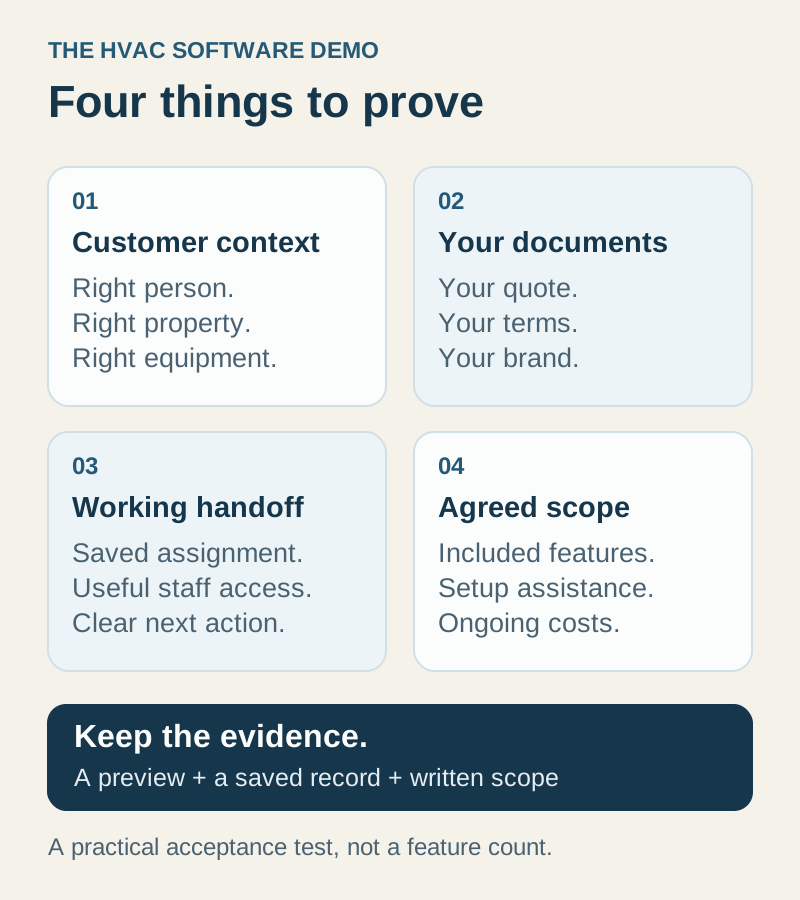
Bring your existing quote and email to a demonstration. Ask to change the scope wording, show your branding, produce two genuinely different options, preview the customer's experience, and prepare a specific follow-up. Ask which controls your team can maintain itself and which require setup help or additional work.
Request an IKOK quote-and-email walkthrough. The useful test is whether you can represent your actual service offer clearly, keep the next action visible, and reuse the setup on the next customer without copying private details.