A field workflow succeeds when the technician can act on the right job and the office can trust what comes back. A small screen full of buttons does not solve a missing equipment record, an unclear task, or an entry that has not reached the shared record.
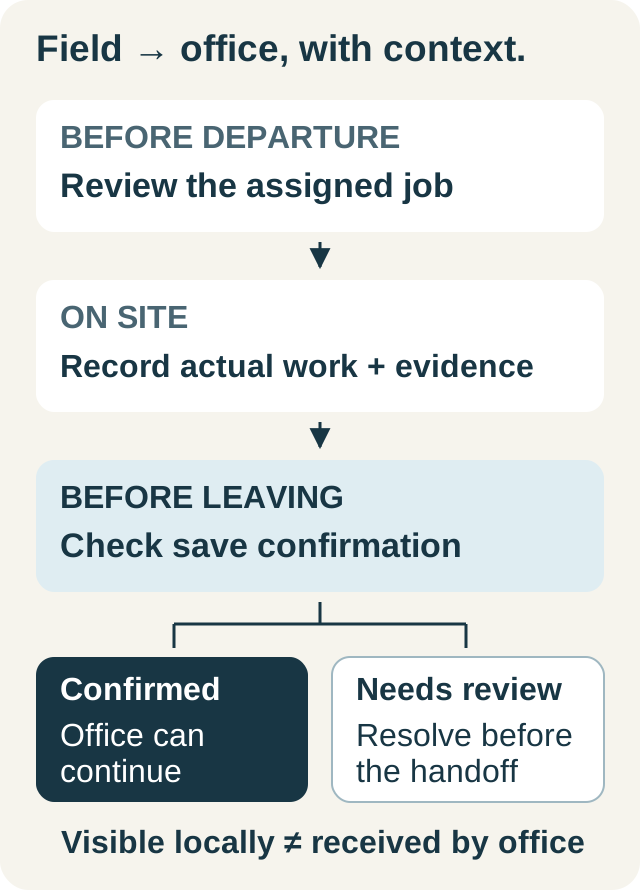
Design the routine around three moments: before departure, while on site, and before leaving. Decide what the technician needs at each moment and what the office needs afterward. Then test the complete sequence on the devices and access roles your team will actually use.
Before departure: make the assigned job usable
The technician should be able to identify the service address, the reported concern, and the correct unit without searching a message thread. Include the promised arrival window and the access information required for the visit. Keep estimates awaiting approval distinct from authorized work.
Review relevant history rather than sending every historical note. A previous unresolved recommendation may matter; an old appointment instruction may no longer apply. The dispatcher should verify any access detail that could delay the current visit.
| Moment | Technician's question | Record the office needs |
|---|---|---|
| Before departure | Where am I going and what is authorized? | Assigned job with current context |
| Arrival | Is this the correct property and unit? | Accurate arrival and equipment identity |
| During work | What do I need to record? | Applicable outcomes, notes, and evidence |
| Before leaving | Is the visit ready to hand back? | Confirmed saves and unresolved next actions |
Worked example: a change in the field
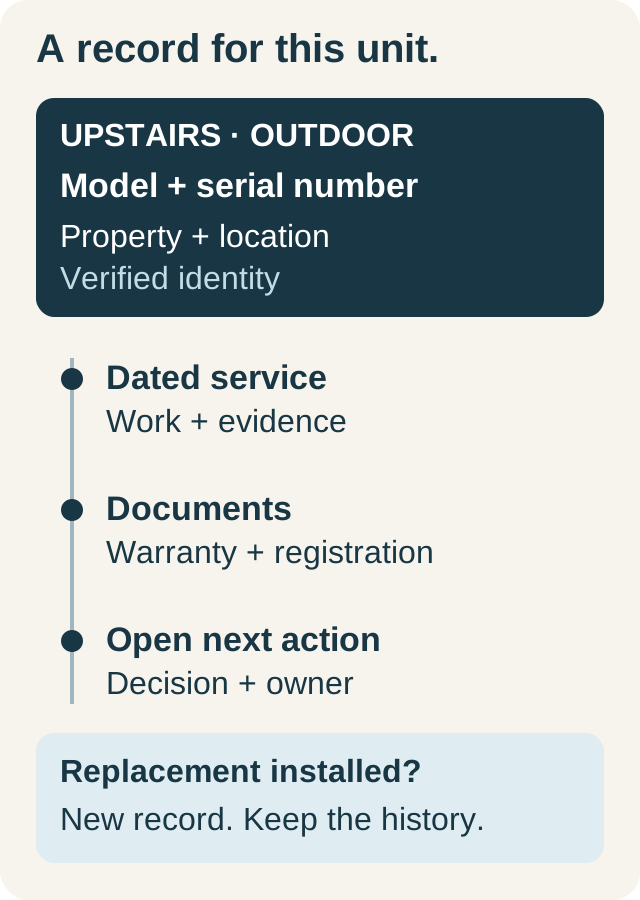
In this fictional scenario, Riley opens the assigned maintenance visit before leaving. The property has two covered units. On arrival, Riley finds that one unit has been replaced since the previous visit.
The correct response is to review the replacement assignment and record the work against the appropriate unit. Copying last visit's identity into today's results would be faster initially but would create misleading history. The office helps resolve the assignment when needed; the technician preserves the distinction between the previous equipment and the replacement.
Later, a weak connection leaves a save awaiting confirmation. Riley checks the displayed save state before trying another update or completing the visit. The office handoff happens after the saved record is confirmed, or through the company's agreed escalation process if the issue remains. A locally visible entry is not treated as proof that the dispatcher can already see it.
On site: capture the evidence while its context is clear
Record arrival and work stages when they occur, following your company's policy. Accurate stage records are more useful than reconstructing the entire day from memory. They also distinguish travel and on-site work from a single undifferentiated duration.
Use the applicable job tasks and checklist. Record actual outcomes and explain exceptions; do not select a pass to clear a required field when the work was not performed. Add readings with their units and photos that identify the relevant condition or equipment. This guide does not specify technical limits or repair procedures: use the equipment documentation and your qualified team's process.
Keep work performed separate from internal notes and recommendations. “Customer asked about replacement options” belongs in the handoff, but it is not an accepted replacement order. The closeout guide gives a practical structure for that distinction.
Confirm saves before completing the handoff
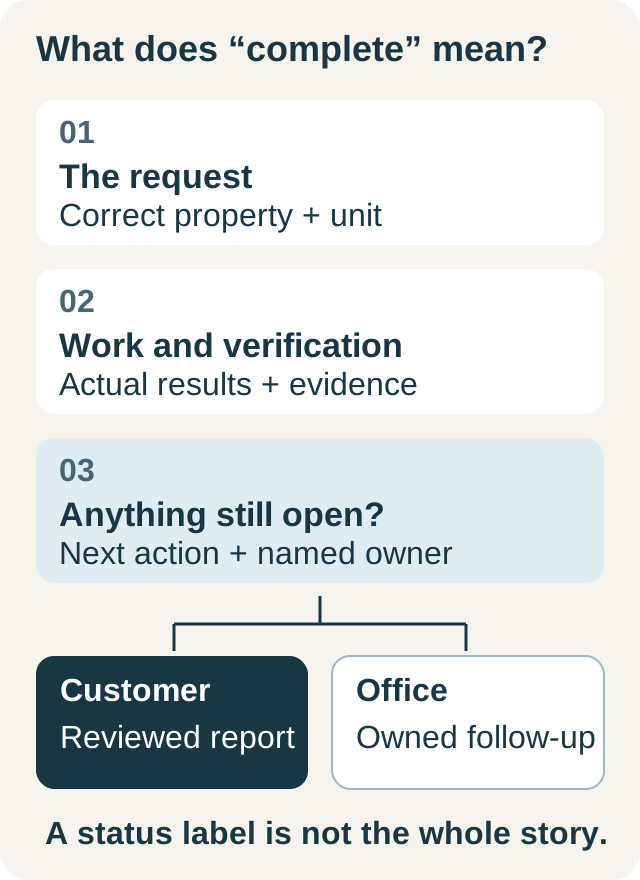
Before moving to the next job, check the saved task results, work notes, materials where applicable, and attachments. If the interface shows a pending or rejected change, resolve or escalate it rather than repeatedly submitting the same action. For a correction, first establish which version the shared record contains.
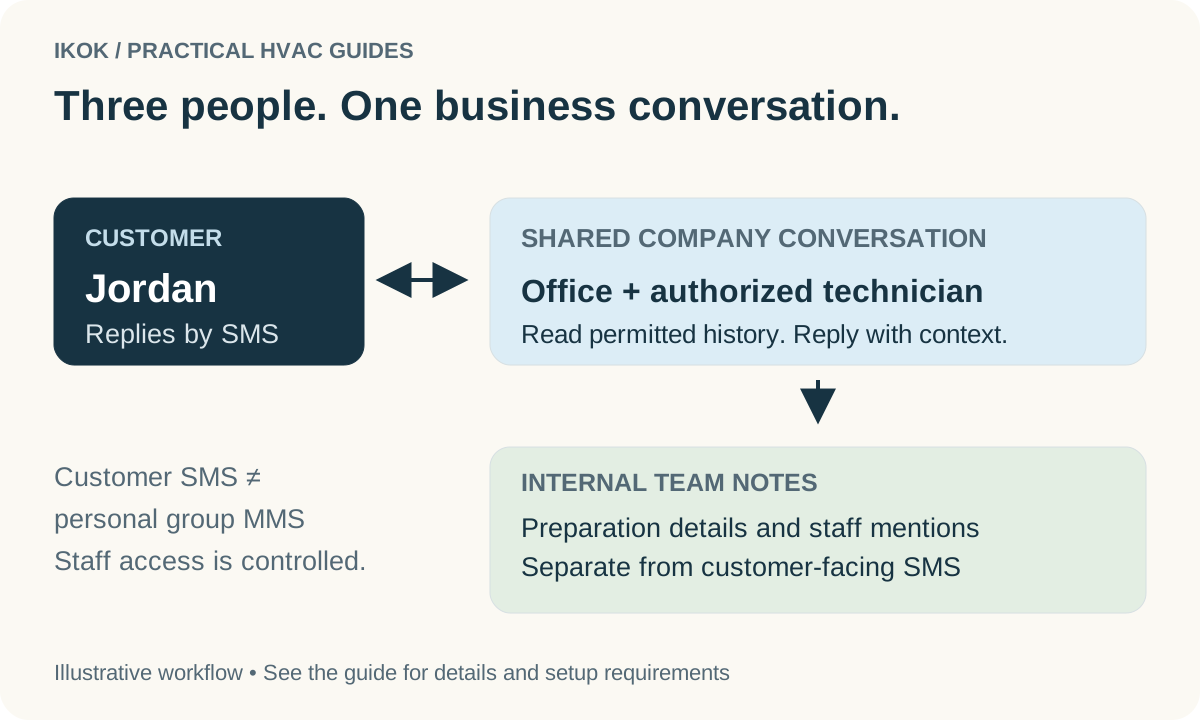
The office should have a named recipient for incomplete work, replacement-equipment questions, estimates, and return visits. A shared customer conversation can support that handoff, but the final service evidence belongs with the job. IKOK's shared SMS inbox provides configured team messaging, assignment, and internal notes; messaging availability and technician access depend on setup.
Evaluate the IKOK workflow with your actual roles
IKOK's field workflow includes assigned job context, arrival and work stages, checklist and task results, work performed, notes, photos, and completion actions. Maintenance visits can record results by covered unit. Permissions distinguish viewing, editing, and completing work, so evaluate the technician account as well as the office account.
Saved maintenance evidence can feed a report draft for review. The office can check the report's wording and customer visibility before publishing it, instead of asking the technician to type the visit again. See the equipment guide for the records that support this handoff.
Confirm the field experience currently available for your devices during onboarding. Website access, native app availability, and behavior without connectivity are separate questions; test the specific actions you need rather than assuming they behave identically everywhere.
Run a small acceptance exercise before rollout
Use fictional data and a representative office/technician pair. Assign a visit, open it on the field device, record an outcome and photo, save, and verify that the office sees the result. Test a missing permission and a connection interruption. Check what the technician sees when a change needs attention and how the team recovers without duplicating work.
Finish by reviewing the report and assigning an unresolved next action. This tests the complete operating handoff, not merely whether the app opens. Expand the rollout once the team understands both the normal path and the recovery path.
Request an IKOK field-workflow demo and bring the device types and roles your team uses. We can walk through the job, its saved evidence, and the office handoff together.
A few practical questions
Before you put it to work
What should a technician see before leaving for the job?
The assigned visit, correct service address, reported concern, relevant equipment and service history, access instructions, and any work that requires authorization.
Should we assume every field action works without a connection?
No. Confirm behavior for the device and workflow your team will use. Check whether a change is saved, queued, or needs attention; a visible local entry is not by itself confirmation that the office received it.
Can every employee complete a job or contact the customer?
Actions depend on the employee’s role, assigned access, and configured services. Verify permissions with representative office and technician accounts during setup.