An equipment record should answer a practical question: “What do we know about this particular unit before we work on it?” A list of models cannot answer that if the company does not know which property, system, or past visit each model belongs to.
Build the record around identity first, then add dated evidence. Keep uncertainty visible. A missing installation date is easier to correct than a guessed date that later appears on a customer report as fact.
Start with a unit identity that survives the next visit
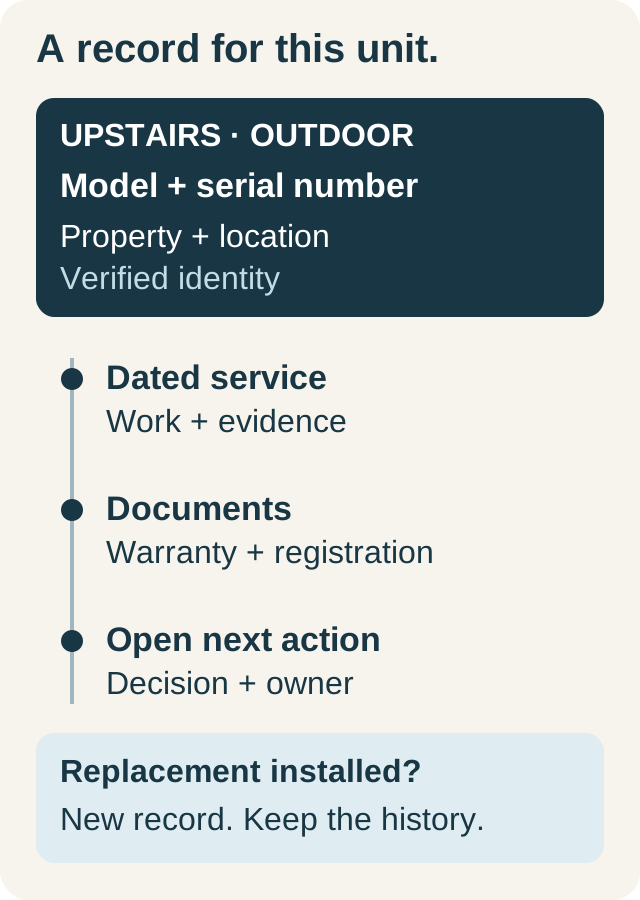
Use a naming convention a dispatcher and technician can both understand. “Upstairs system — outdoor unit” is more useful than “AC 2” when a property has multiple systems. The name helps people find the asset; the manufacturer, model, and serial number identify it.
| Field | What a useful entry contains |
|---|---|
| Customer and property | The account and actual service location |
| Unit label | System or area served plus physical location |
| Type, brand, model, serial | Verified identifiers from the unit or reliable documents |
| Installation date | Confirmed date, with supporting documentation where available |
| Warranty documents | The applicable certificate or registration evidence |
| Service evidence | Dated job, work description, findings, and relevant photos |
Use the same convention across the team, but leave space for unfamiliar equipment. A form should not force a technician to choose an inaccurate type simply to complete the record.
Worked example: two systems, four identifiable units
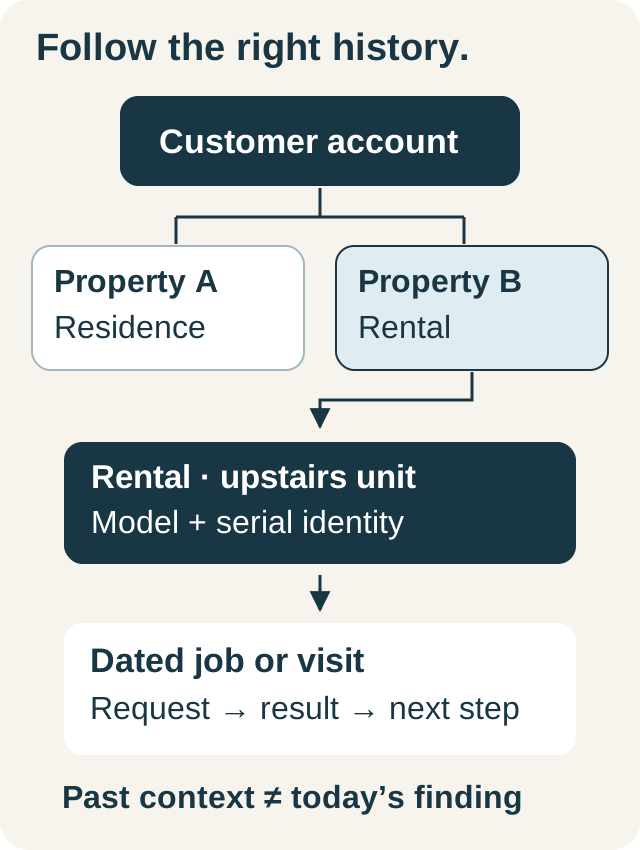
In this fictional example, Casey owns a property with upstairs and downstairs systems. The office initially has one equipment entry: “heat pump.” During a scheduled visit, the technician records the identity of each indoor and outdoor unit and labels the area served.
The dispatcher can now distinguish the upstairs outdoor unit from the downstairs outdoor unit when a customer describes a problem. A photo of an upstairs nameplate belongs with that unit's record. A past invoice for work on the downstairs system remains associated with its own service event.
Later, the upstairs outdoor unit is replaced. Create a distinct record for the replacement and document the replacement event. Preserve the old serial number and past service evidence. Overwriting the old record would make earlier work appear to have happened on equipment that was not installed at the time.
Capture evidence that answers the next question
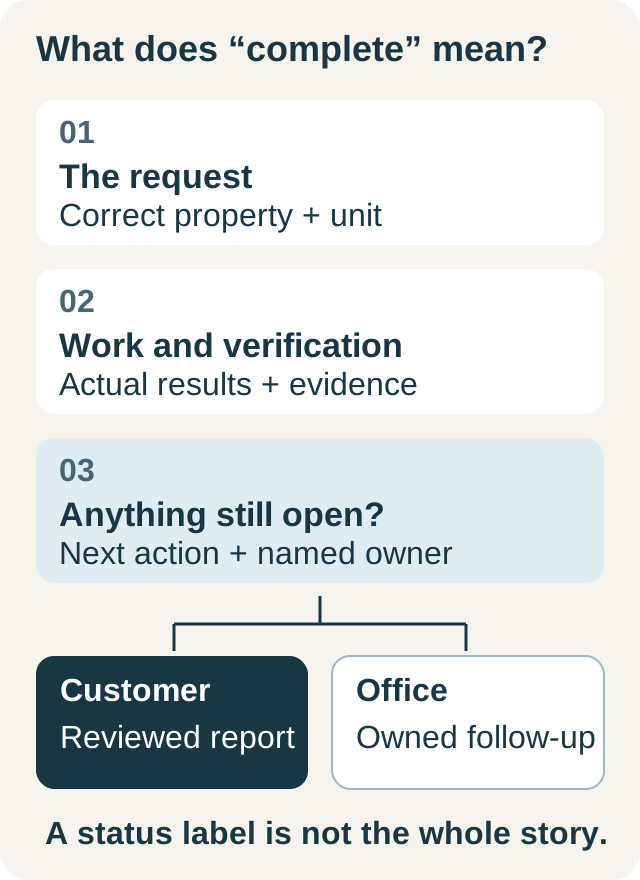
A useful service entry separates the customer's report, the technician's observations, the work completed, and anything left open. For example:
- Customer report: upstairs room did not reach the requested temperature yesterday.
- Unit identified: upstairs outdoor unit; model and serial verified on arrival.
- Work and evidence: record the actual checks and findings using the applicable procedure.
- Unresolved item: further work requires a separate estimate.
- Owner: office to prepare the estimate and confirm the customer's decision.
The example deliberately does not prescribe a diagnosis. Measurement names, acceptable ranges, and repair methods depend on the equipment and the qualified technician's process. Photos should explain a recorded finding or establish identity, not simply fill an attachment counter.
Keep warranty information useful without overpromising
Store the document behind a warranty date. Record what the document describes and any remaining verification needed. Parts coverage, labor arrangements, registration, and ownership conditions can differ; a green status label is not a coverage decision.
For example, Carrier provides warranty registration and coverage resources. Use the relevant manufacturer's current information and the equipment's own certificate when reviewing a specific case. Saving a document in your CRM does not register equipment with the manufacturer or submit a claim.
When a customer asks whether a repair is covered, give the office a clear task: identify the proposed work, check the relevant documentation, and confirm the answer before making the promise. Do not silently convert an estimated expiry date into an assurance that the customer owes nothing.
Build and use the record in IKOK
IKOK's equipment form associates equipment with a customer and property and includes type, brand, model, serial number, installation date, and warranty expiry. It supports attached documents and warranty records. The “Add another equipment” action preserves customer and property context while the next unit receives its own details.
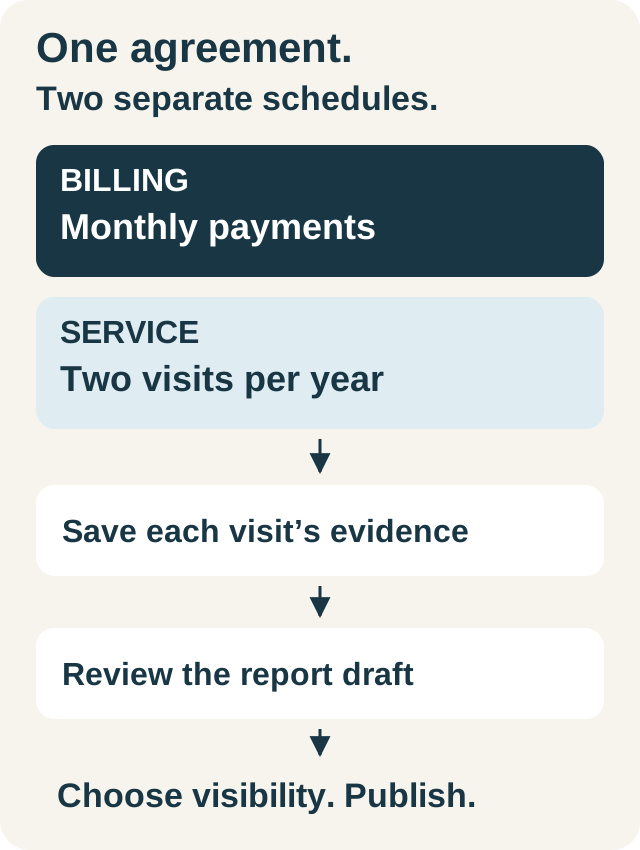
During maintenance, review the equipment assigned to the visit and record results against the appropriate covered unit. The saved execution can then supply the equipment and evidence in the report draft. Review that report's customer visibility before publishing. The maintenance workflow guide explains that sequence.
Make data cleanup part of normal service
Choose a small verification step for each visit: confirm the unit label and identity, add a missing document, or correct a known mismatch. Ask the office to resolve duplicates before copying more history into both records. Do not treat an empty field as proof that the equipment has never been serviced.
Before closing the job, check three connections: the correct property, the correct equipment, and the correct dated work record. These are more valuable than a long description attached to the wrong unit. The customer and property history guide shows how the records fit together.
Book an IKOK demo with a sample multi-system property. Ask us to add the units, attach a document, and follow one unit from a visit into its customer report.
A few practical questions
Before you put it to work
Should indoor and outdoor equipment have separate records?
Give each separately identifiable asset its own record when its identity, service history, or warranty information needs to be tracked. Use clear location and system labels so the team understands which components belong together.
Does a saved warranty expiry date confirm coverage for a repair?
No. It is a reference point. Check the applicable manufacturer certificate, registration record, ownership conditions, and the specific proposed repair before describing coverage to the customer.
Can IKOK add another unit without choosing the customer again?
Yes. The equipment workflow supports adding another record while retaining the selected customer and property context. Enter and verify the new unit’s own identity and documents.