Start with a reason the customer would recognize
“Someone has not bought from us recently” is a weak reason to contact them. “This customer asked us to follow up on a recommendation after a particular date” is stronger. A useful HVAC reactivation process starts with a relevant service history and respects how the customer wants to be contacted.
Do not confuse a recurring maintenance obligation with a marketing opportunity. A visit already owed under a service agreement belongs in the service-delivery queue. An unresolved complaint belongs with the person resolving it. A new promotional message will not fix either situation.
Build a small, reviewable candidate list
Choose one reason for your first pilot: customers who requested a later conversation about a documented recommendation, for example. Capture the customer, property, last relevant work, requested follow-up date, message purpose, permitted channel, owner and outcome. A tag can help organize a list, but it is not proof of consent or eligibility.
IKOK customer records, service history and customer tags can help the office organize that review. Customer bulk actions apply to selected records. Updating a status or tag does not itself create a campaign, schedule a visit, change an agreement or authorize an SMS. Keep those actions explicit.
A fictional 40-record review
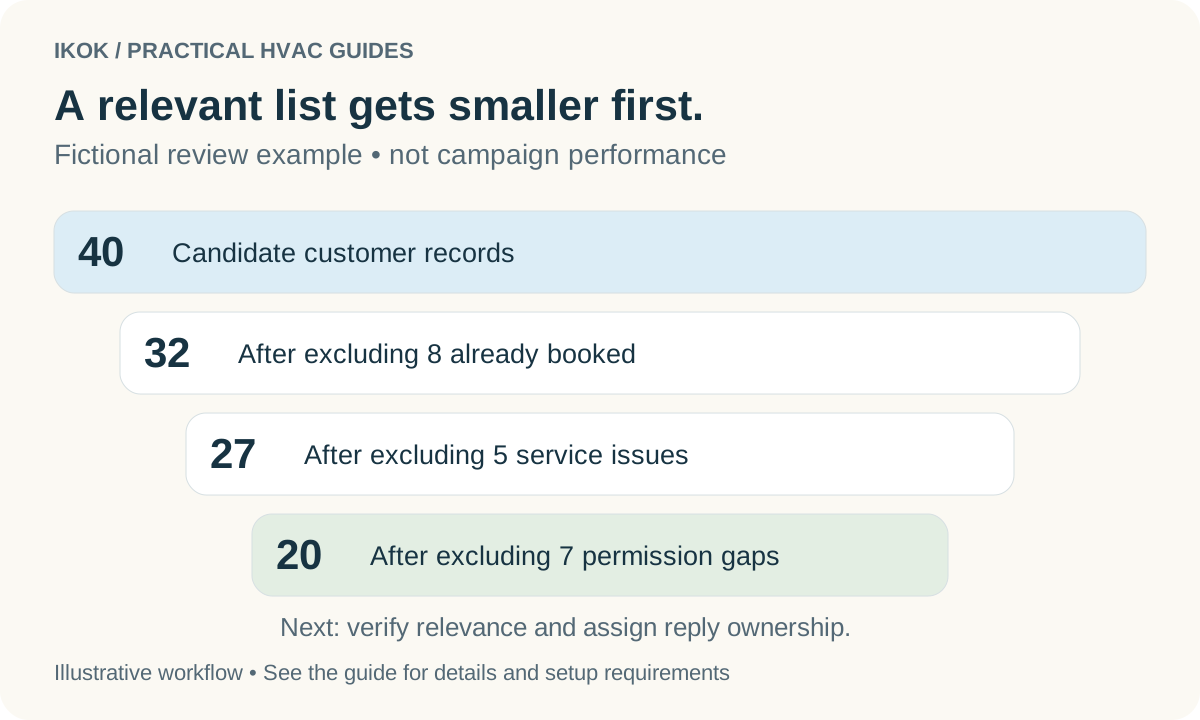
Imagine an office reviews 40 potential follow-ups. The numbers below are a planning example, not IKOK performance results:
| Review step | Exclude from this pilot | Remaining |
|---|---|---|
| Initial candidate records | — | 40 |
| Already booked for relevant work | 8 | 32 |
| Unresolved service issue needing personal handling | 5 | 27 |
| No suitable permission for the proposed channel and purpose | 7 | 20 |
The remaining 20 still need individual relevance checks. One may have sold the property. Another may have declined the work. A third may have requested a callback next month. The correct result may be a smaller list than you expected.
This worksheet is not an automated segmentation feature. It is a repeatable office review that can use the context in IKOK. Verify your company's applicable communication requirements; a phone number in a customer record is not blanket permission for promotional texting.
Write a message tied to the actual record
A fictional example for a customer who requested a later follow-up: “Hi Taylor, Maya from Cedar Service here. You asked us to check back this month about the recommendation from your last visit. Would you like a call to discuss the next step?”
Before sending, confirm that Taylor made that request, the recommendation is still relevant and the chosen channel is appropriate. Do not imply that equipment is unsafe, a warranty is expiring, or a visit is required unless the records support it. Avoid including sensitive service details when you have not confirmed who uses the number.
IKOK lets the team tailor customer communications instead of relying on one generic script. Use approved email templates or shared-inbox quick replies as a starting point, then verify the customer-specific wording. A reusable message should make personalization easier, not invent a reason to contact someone.
Prepare the reply workflow first
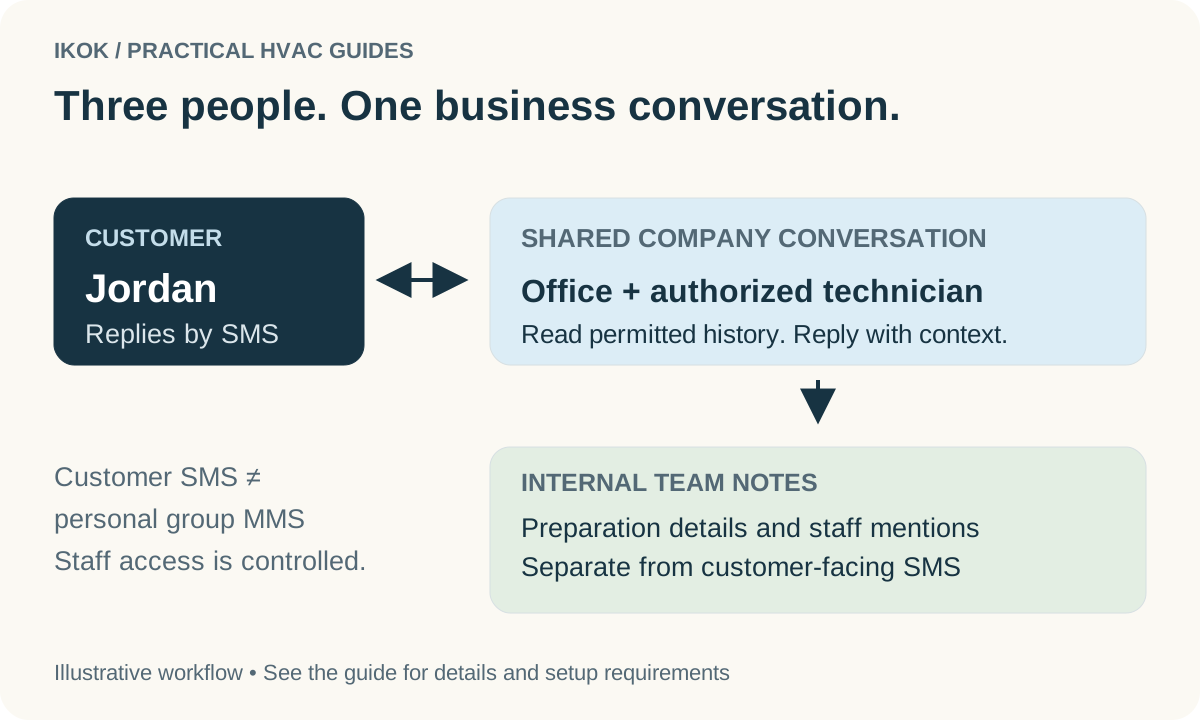
Decide who will read and respond before the first message goes out. In the shared SMS inbox, authorized staff can work from the customer conversation, assign responsibility and record internal context. SMS requires an activated sender, the appropriate access and applicable consent.
| Reply | Next office action |
|---|---|
| “Yes, call me tomorrow” | Record the requested time and assign the callback |
| “We already handled it” | Update the follow-up context; do not keep asking |
| “I am not the owner anymore” | Verify the record before changing ownership details |
| “Please stop” | Honor the request through the applicable communication controls |
| Question about past work | Review the service record before offering another sale |
| No reply | Follow your reviewed contact policy; silence is not permission to escalate |
Resolving the conversation does not complete a job or record a sale. A request for information is not a confirmed appointment. Keep the operational next step separate from the messaging status.
Measure useful outcomes
For the pilot, record how many customers were eligible, contacted, replied, requested a conversation, booked and completed work. Also record opt-outs and complaints. Use the same definitions each time. Twenty delivered messages and two booked visits are different measures; neither tells you revenue until you check the resulting work.
Review the quality of the replies before expanding. If customers are confused about why you contacted them, improve the selection and message. If interested customers wait too long for a response, fix ownership before increasing volume.
Ask for an IKOK customer-follow-up walkthrough. Bring a fictional or appropriately redacted service-history example, your preferred email wording and your rules for contacting customers. The aim is a controlled, relevant follow-up process your office can maintain.