A customer says, “You were here last month.” The office opens the account and sees several jobs, two addresses, and a note about a replacement. Before responding, someone must establish which property and which system the customer means.
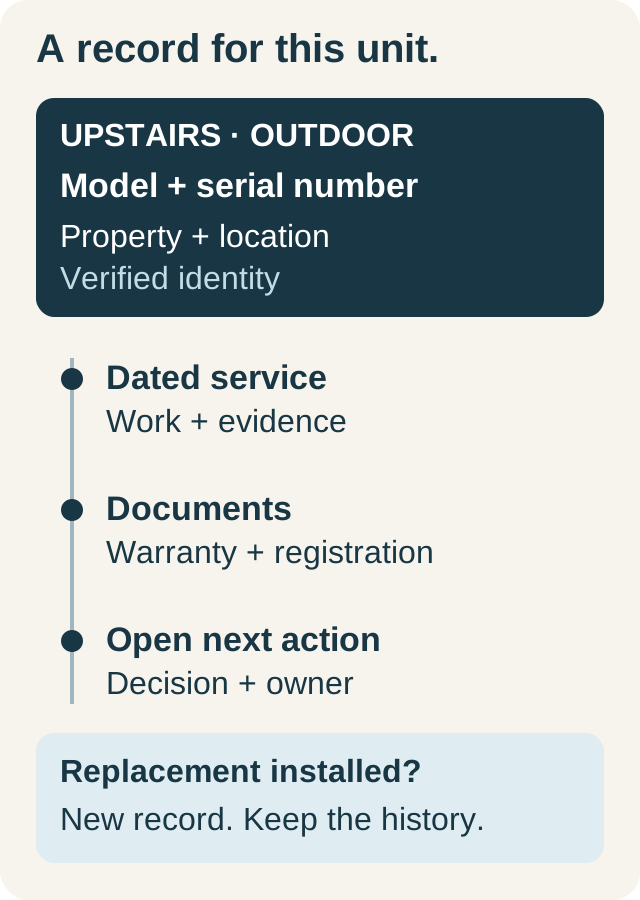
Good service history makes those relationships clear. It separates the customer account from the service property, the equipment at that property, and the events recorded on each job. This structure helps even a small company; one customer with a second home can expose the same ambiguity as a large portfolio.
Give each record a clear purpose
| Record | It should answer | Avoid storing only here |
|---|---|---|
| Customer | Who is the account, and how do we contact them? | A visit-specific finding without a job reference |
| Property | Where is the work, and what access context applies? | All addresses in one free-text note |
| Equipment | Which unit is involved? | Several unrelated serial numbers in one field |
| Job or visit | What was requested, done, and left open on this date? | Undated descriptions that look permanently current |
| Published report | What reviewed information did we share? | Internal discussion not intended for the customer |
Use notes to add context, not to replace these connections. “Tenant prefers an afternoon window” needs an owner and a check when booking; it is not permanent permission to schedule every future visit without confirmation.
Worked example: one owner, two properties
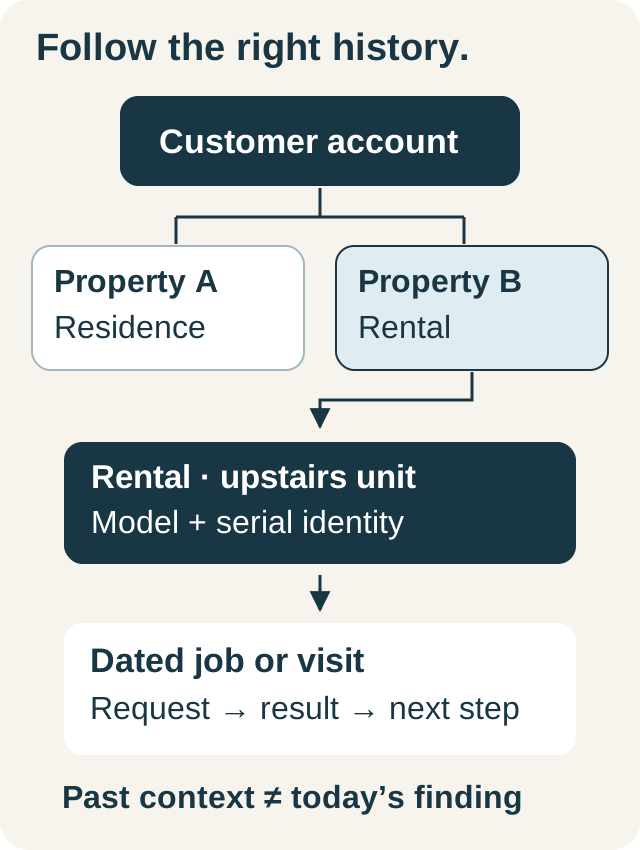
In a fictional account, Avery owns a primary residence and a rental property. The rental has an upstairs and a downstairs system. The customer calls about the upstairs system, but the most recent account activity is an invoice for the residence.
The dispatcher confirms the service address and unit before opening the relevant visit. That visit records a recommendation awaiting approval. The dispatcher asks whether the new call concerns the same reported symptom, captures the current description, and assigns review to the office lead. The older recommendation remains part of the history; it is not presented as the cause of today's problem without assessment.
The tenant's access arrangements belong with the rental visit and property context. The owner remains the person the office contacts about authorization, according to the account's arrangements. Keeping those roles explicit prevents the technician from receiving contradictory instructions at the door.
Use a two-minute pre-dispatch review
Before committing the appointment, work through a short sequence:
- Confirm identity. Select the existing customer and the actual service property; avoid creating a duplicate because a caller uses a different contact number.
- Name the equipment. If the caller cannot identify the unit, record that uncertainty for the technician.
- Read the latest relevant visit. Check the work performed, evidence, and unresolved recommendations for that property or unit.
- Check current work. Look for an existing appointment or estimate so the new request does not become an accidental duplicate.
- Write the next handoff. Record the current concern, access arrangements, promised window, and who handles authorization.
The review should produce a concise job brief, not a pasted copy of every note on the account. Put the most recent relevant facts first and link the supporting record.
Write a history entry someone else can use
Try this format: date and unit → customer request → observed facts → work completed → open item → next owner. Distinguish an observation from an interpretation and an approved action from a proposed one.
“Customer reports intermittent noise; technician to assess” is a current request. “Noise resolved” should describe a verified result of the visit, not a dispatcher assumption. If the team could not assess the reported condition, say what remains unknown and how the next review will be arranged.
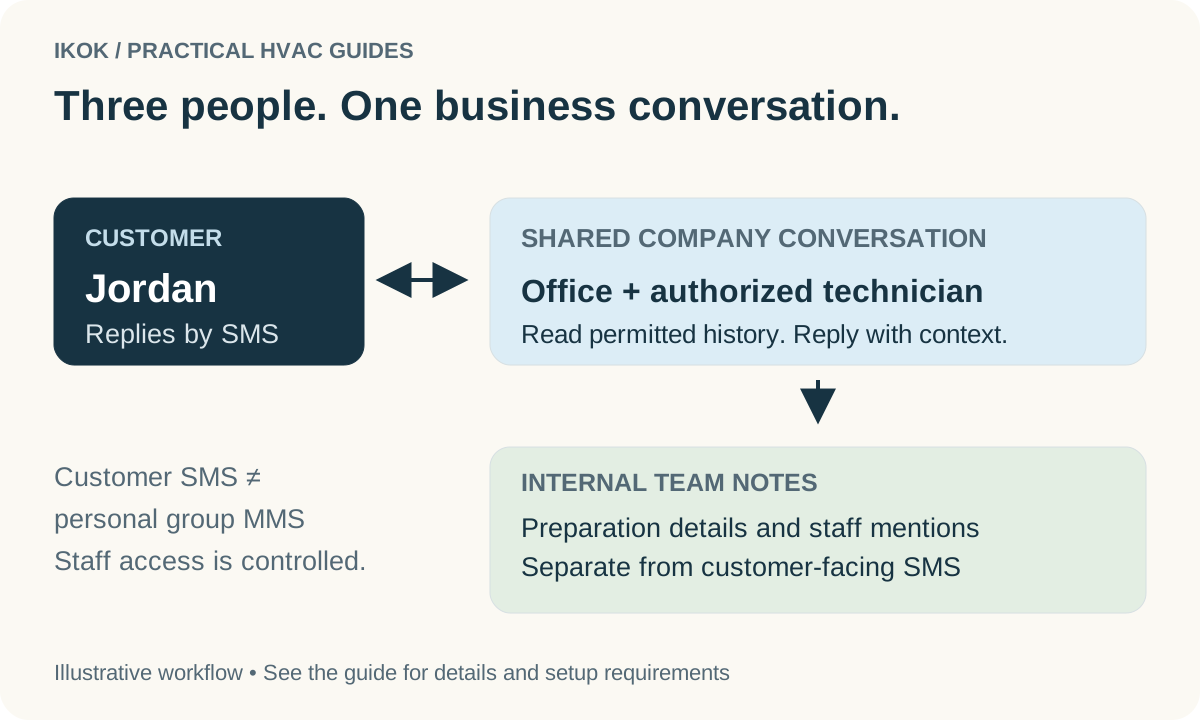
Avoid copying sensitive access details into reports, invoices, or messages where they are unnecessary. Review account permissions and report visibility as part of setup. An internal comment and a customer communication serve different audiences even when they concern the same job.
Follow the connected records in IKOK
IKOK's customer workspace brings together jobs, quotes, invoices, payments, equipment, properties, and account activity. Equipment can be associated with the selected property, and job records retain the work and visit context. Start from the customer to find the relevant records, then open the specific job or equipment record for the detailed evidence.
For maintenance visits, saved unit execution can supply a report draft. Report sections and blocks provide client or internal visibility choices, so the office can review what the customer receives. A later change to the working history does not silently change a previously published report.
Use the shared SMS inbox for supported customer conversations and internal handoffs after messaging is configured. A conversation helps explain a request; it should not be the only place the final service outcome is recorded.
Clean up the structure before importing more history
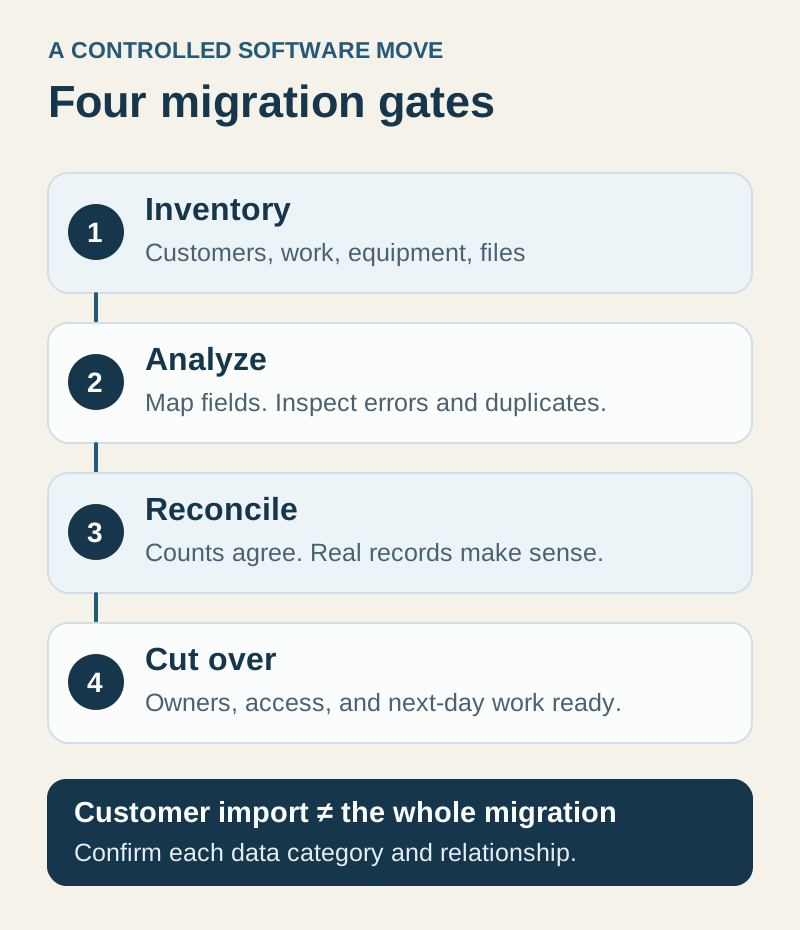
When moving records from another system, test a customer with multiple properties first. Verify that addresses, equipment identities, and dates remain connected. Mark uncertain imported information for review rather than presenting it as a new technician finding. The migration checklist provides a broader rollout sequence.
For ongoing work, inspect a few recent jobs together as an office and field team. Can a person who did not attend the visit identify the unit, understand the result, and name the next action? If not, improve that handoff before adding more required fields.
Request an IKOK demo with a sample customer who has two properties. Follow one request from the customer record to its unit, job history, and reviewed report.
A few practical questions
Before you put it to work
Should every property have a separate customer account?
Not necessarily. When one customer has multiple service locations, use distinct property records under the appropriate account. Confirm the service address, contact, and billing responsibility for each job.
What history should a dispatcher review before booking?
Confirm the property and equipment, the latest relevant job, unresolved recommendations, existing appointments, and the person responsible for the next action. Past findings are context, not a new diagnosis.
Does a customer note automatically become a customer-facing report?
No. Keep internal account context separate from the report you choose to publish. In IKOK, report sections and blocks have customer or internal visibility controls that should be reviewed before sharing.