Start with work your team actually does
A polished dashboard tells you little about what happens when a repeat customer calls about a different property. A useful HVAC CRM demo starts with that call and follows it through a quote, a scheduled visit, a customer update, and a readable service record.
Prepare a fictional case before meeting any vendor. In this guide, Alder Mechanical serves Morgan, who owns a home and a small rental property. The rental has two systems. Morgan wants a repair quote for one system and a separate maintenance proposal. These are invented people and properties, chosen to expose ordinary handoff problems without using customer data.
Give the vendor the case in advance. Ask an office user to run it, then repeat the technician portion under a technician role. Record what works today, what needs configuration, and what remains a promise.
Make customization a buying requirement
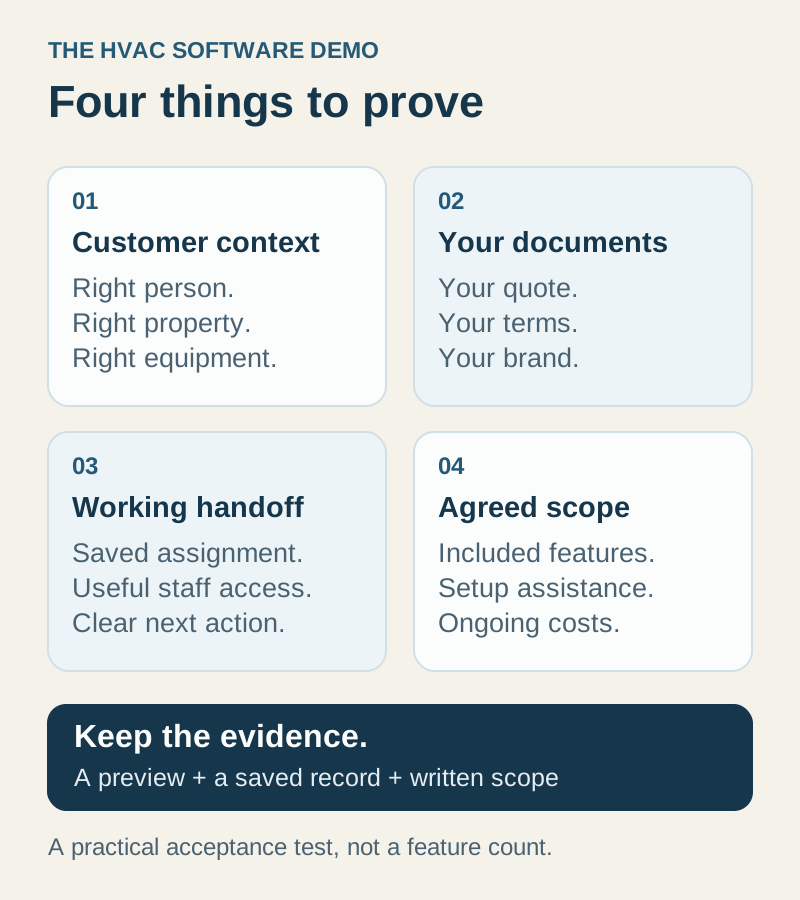
Your quote, contract, email, and visit report are part of your customer experience. Bring a redacted example of each. Instead of asking whether software is “customizable,” ask someone to make the specific changes your business needs while you watch.
| Your requirement | Demonstration to request | Evidence to keep |
|---|---|---|
| A quote that explains the work | Change scope, item descriptions, terms, and customer presentation; reuse the result | A preview and a second quote created from the saved setup |
| Your maintenance agreement | Set covered work, service cadence, billing cadence, duration, renewal, and cancellation wording | The proposed agreement and its accepted terms |
| Recognizable emails | Apply your logo and wording, edit the subject, and inspect the customer preview | The reusable template and a safe test preview |
| Useful customer reports | Add a section, include relevant visit details, and keep an internal note private | Customer view compared with staff view |
| A practical office workflow | Hand work from the office to a technician with the right record attached | The same job opened under both roles |
In IKOK, quote document templates can retain reusable items, pricing, terms, and notes while keeping customer details separate. Maintenance package configuration separates service frequency from customer billing frequency and includes contract terms. Email Studio offers layout and logo controls. Client reports allow additional sections and distinguish customer content from internal content.
Those are concrete capabilities to demonstrate, not a statement that every configuration is included in every subscription. Ask which changes you can maintain yourself, which require onboarding assistance, and which would be separately scoped development. Ask the same questions about ongoing edits after launch.
Compare the plan that delivers your requirements
As reviewed on 17 October 2026, Jobber lists rich visual quote customization under Grow and custom reports under Plus; basic quoting is available on lower plans. This illustrates why buyers should compare the precise capability and plan, rather than the starting price. See Jobber’s official pricing page; packaging can change.
Build a written scope for each finalist: users, equipment records, maintenance agreements, messaging, reporting, onboarding, and the customizations above. Ask for recurring charges, usage charges, setup work, and optional services to be identified separately. For IKOK, confirm membership scope and any additional setup directly before deciding. A feature visible in a demonstration is not proof of its inclusion in your proposal.
Run the customer-to-visit test
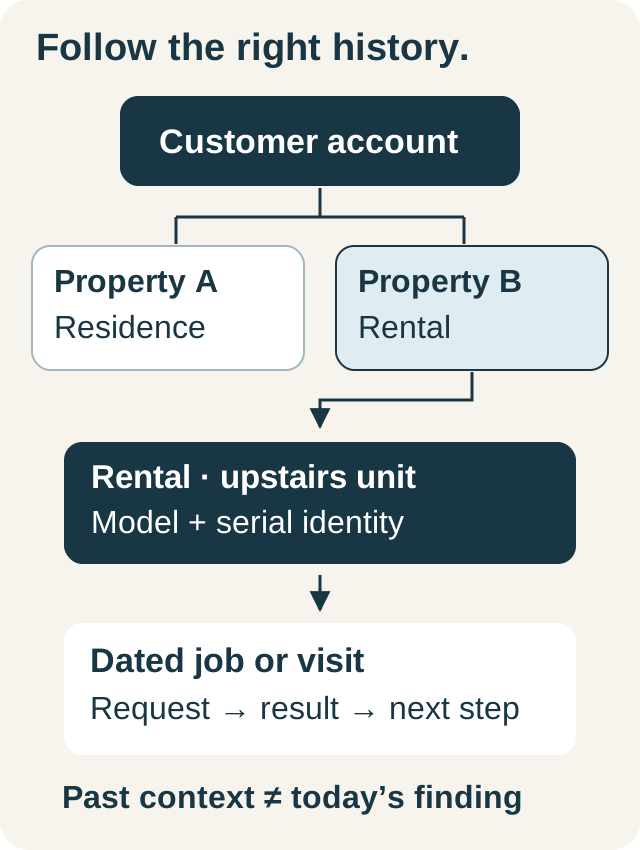
In IKOK, start in Customers. Open the sample customer and inspect Details, Properties, and Assets. Make the two service locations recognizably different. Where your subscription includes equipment management, associate the relevant equipment with the customer and use it in the job.
Next, create a job for the rental property. Select the correct service location, describe the work, assign a technician, and set a realistic start and end time. Save it, reopen it, and inspect the record from Schedule. The acceptance criterion is specific: the technician should receive the right property and work context without the office typing a second version into a text message.
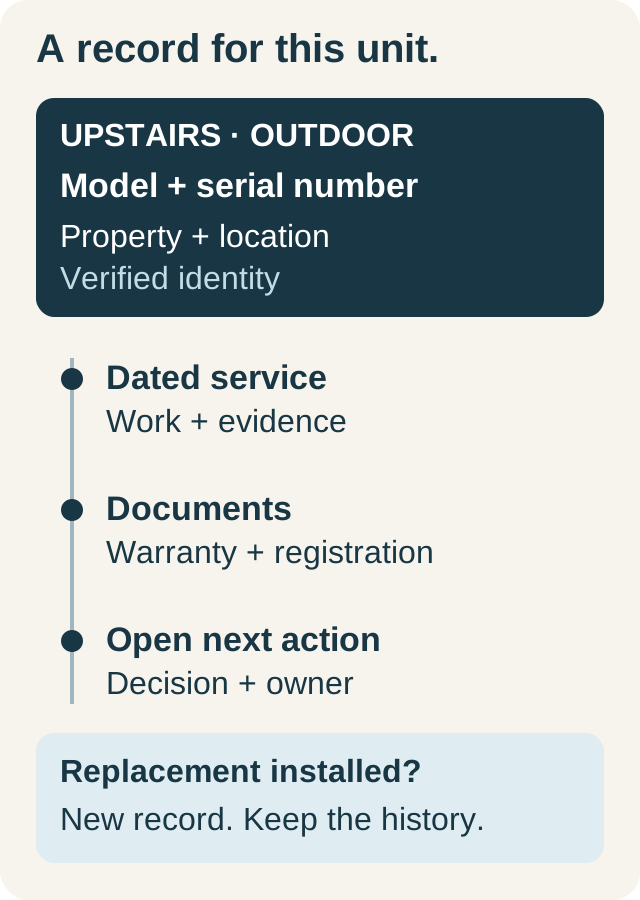
Do not accept a general customer name as proof of property-level history. Ask how staff distinguish the upstairs system from the downstairs system, what happens when equipment is replaced, and where the next technician finds the prior visit. Our equipment service records guide develops that test further.
Test one change and one exception
A perfect first booking is the easy case. Move the sample job to another technician, inspect any scheduling conflict, and verify the job status separately. Then introduce an exception: the part is unavailable and the office needs a customer response before confirming the next visit.
Ask who owns that follow-up and where the next employee sees it. If shared SMS matters, test office and authorized technician participation in the same customer conversation, with an internal note that the customer cannot see. IKOK’s SMS access depends on the paid SMS offering, permissions, and sender/provider readiness; carrier approval should be checked before promising an SMS launch date.
For every demonstration, distinguish a saved record from an actual external action. A draft email is not a delivered email. A scheduled message is not a delivered text. A proposed agreement is not customer acceptance.
Decide with an acceptance sheet
Use four results: passed, needs configuration, needs separate scope, and not supported. Assign an owner and next step to every unresolved item. A vendor should be able to explain a limit without turning it into an indefinite roadmap promise.
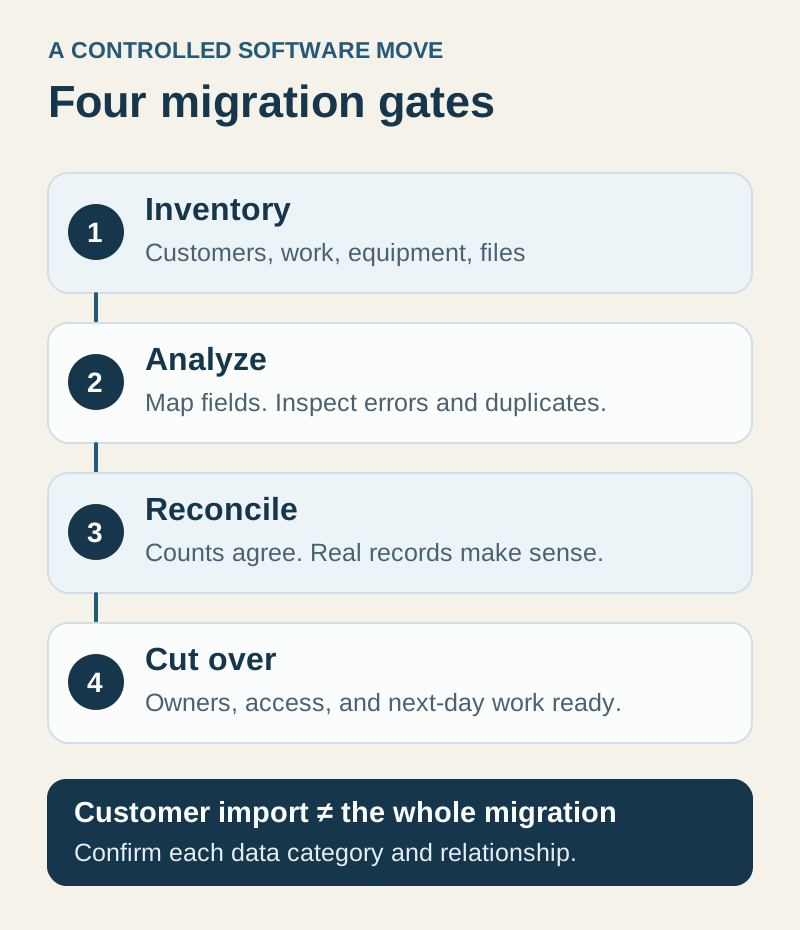
Before signing, have your office lead and one technician repeat the most important steps themselves. Confirm the required plan, permissions, migration responsibilities, and training approach in writing. Then choose the system whose demonstrated workflow fits your business and whose remaining setup is understandable.
For an IKOK demonstration, bring your current quote, service agreement, branded email, and a fictional repeat-customer scenario. Ask to leave with a working example and a written list of the configuration and subscription scope it needs.
A few practical questions
Before you put it to work
What is the most useful HVAC CRM demo scenario?
Use a repeat customer with two service properties and more than one system. Follow a quote into a job, change the technician, inspect the customer communication, and review the final service record under the appropriate staff roles.
Does customization mean every change is included?
No. Separate configuration you can maintain, assisted setup, subscription entitlements, and custom development. Confirm the exact quote, contract, email, and report changes in your written scope.