Define a successful move before importing a file
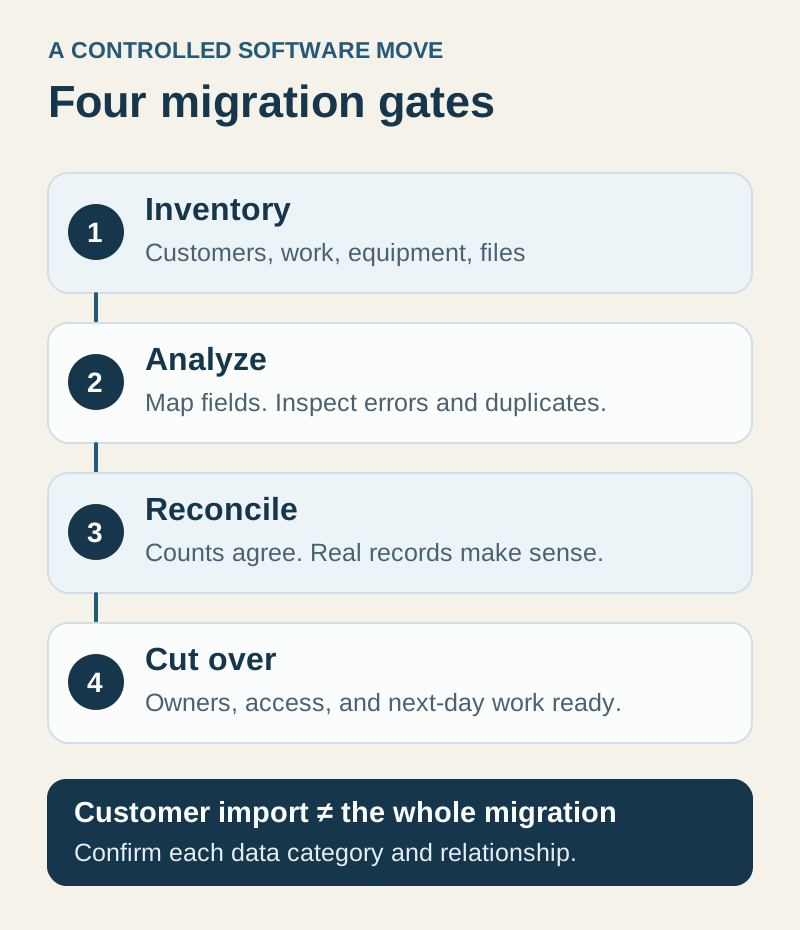
“Our customers imported” is different from “our business is ready to work.” An HVAC company may need contact details, several properties per customer, equipment, open jobs, outstanding quotes, maintenance commitments, attachments, and historical documents. These are related records, not interchangeable spreadsheet columns.
Begin with tomorrow’s work. Which records must the office and technicians access to serve the next customer? Then define what needs to remain searchable as history and what can stay in an agreed reference archive. Confirm each data category with the receiving vendor before making a launch commitment.
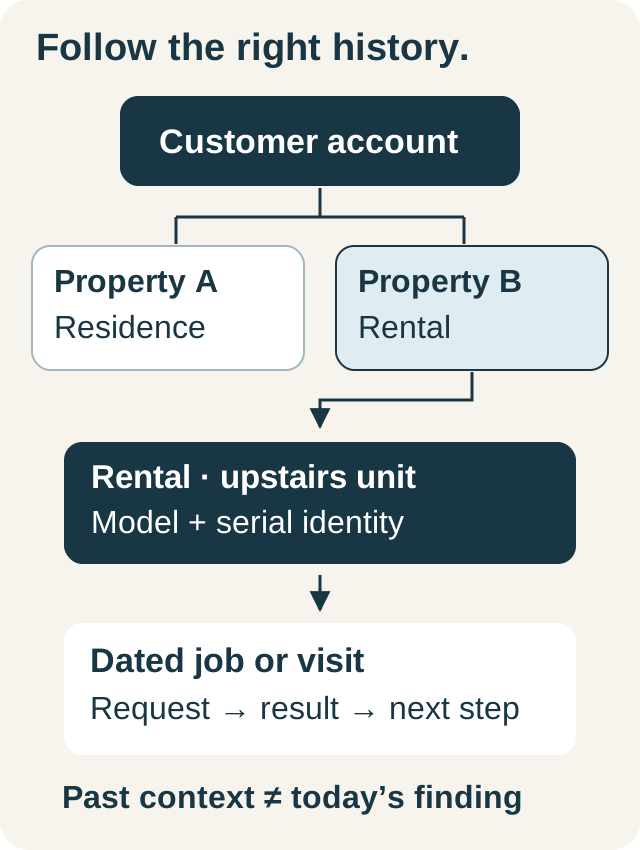
The example here is fictional: Northline Heating is moving records for homeowners and a property manager. The manager uses one email address for several properties. One customer appears twice with different phone formats. An old export also includes an equipment serial number in a free-text notes column. This small sample is enough to reveal several migration decisions.
Inventory entities, relationships, and responsibility
| Data category | Question to resolve | Acceptance evidence |
|---|---|---|
| Customers and contacts | Which record represents the person or company, and how are duplicates reviewed? | A known customer opens with the intended contact details |
| Service properties | How are multiple locations connected to the same customer? | The office can select the correct service location on a job |
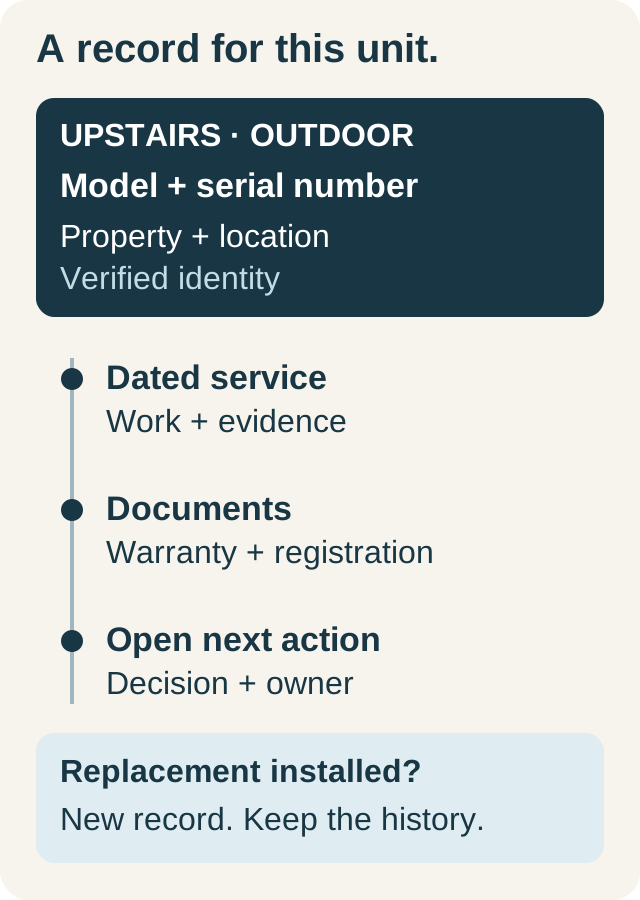
| Equipment | Which customer and property owns each unit? | The intended unit is identifiable without reading an unrelated note |
| Open operational work | How will pending quotes, visits, and follow-ups be represented? | An employee can continue each sampled item |
| Financial records | Which system remains authoritative, and what is being transferred? | The agreed reconciliation is reviewed by the responsible finance person |
| Files and historical documents | Which files move, and how will staff reach those that do not? | A sample document can be opened from the intended location |
Name an owner for each row. A vendor’s customer importer should not be assumed to recreate your complete job, attachment, payment, or maintenance history. Ask for separate confirmation of formats, relationships, exclusions, and any assisted migration work.
Prepare a representative pilot
Use a small, authorized sample that includes your awkward cases: a company contact, two properties under one customer, missing email, an international phone number if relevant, and a likely duplicate. Keep the original export unchanged and work on a copy so you can explain every correction.
For Northline, the shared property-manager email is a review signal, not an instruction to merge all properties into one address. The different phone formats might describe one customer, but the business needs to verify identity. The serial number in a note needs a deliberate equipment-data plan; moving the note does not create a structured equipment record.
Create a mapping worksheet with four columns: source field, intended destination, transformation or decision, and reviewer. It is a planning document, not an import schema. Obtain the current sample file and supported fields from the actual importer before formatting the upload.
Run IKOK’s customer-import analysis
IKOK’s customer import accepts CSV and Excel files. Its interface includes a sample CSV and supported-column information. The reviewed workflow separates analysis from the import that writes customer records.
- Open Import Customers, select the pilot file, and choose Analyze File.
- Inspect the analysis totals: proposed new customers, missing-field updates, unchanged rows, and invalid rows.
- Review problem rows and unrecognized headers. Map supported columns deliberately; leaving an unrecognized column unmapped means its data is skipped.
- Adjust the available handling options only after understanding what they change. Use Apply & Re-Analyze to inspect the revised result.
- Review the row selection and exclusions. Resolve important errors in the source copy rather than treating a smaller successful count as a complete migration.
- Choose Approve & Start Import only when the reviewed pilot has the intended result. Inspect the completed totals and any failed writes.
The importer validates customer fields and provides duplicate and invalid-data review. The approval uses the reviewed analysis options. That is useful control, but it cannot decide the business meaning of every legacy record. “Update missing fields” also should not be read as permission to overwrite every existing field.
Reconcile the pilot by count and by meaning
Count reconciliation catches omissions; record inspection catches misplaced information. Save the source row count, excluded rows, proposed creates and updates, and the final outcome. Explain differences instead of expecting every input row to become a new customer.
Then open the actual records. Check names, contact details, status, and addresses. Build a sample job against the intended service location. Inspect a blank field, a corrected field, and a duplicate case. Ask the employee who will use the data to repeat those checks.
Stop the wider import if the sample creates the wrong relationships or silently loses fields you need. Correct the mapping and rerun a controlled test. Do not assume that an import can be universally undone with one button; agree a recovery approach before a large write.
Make cutover a short, explicit agreement
Choose the point after which new jobs and customer changes belong in the new system. Identify who tracks changes made to the old system after the export, who enters those changes, and who signs off that tomorrow’s work is ready. Without this rule, two accurate systems can still drift apart.
Before cutover, confirm staff access, permissions, working hours, documents, and any external services required for launch. SMS sender activation and accounting connections have their own readiness conditions; importing customer rows does not activate them.
Keep the previous records accessible through the agreed transition process. Assign unresolved items an owner and a visible disposition. On the first working day, reconcile the next appointments and open decisions before focusing on historical tidy-up.
For an IKOK migration discussion, bring a field list and a fictional or appropriately authorized sample—not just a total customer count. Ask which categories use the customer importer, which need another supported process, and which need separately agreed work. That produces a migration scope you can inspect and accept.
A few practical questions
Before you put it to work
Does IKOK customer import migrate the entire old system?
The verified self-service workflow analyzes and imports customer records from CSV or Excel. Jobs, equipment relationships, attachments, financial history, and maintenance commitments need their own confirmed migration scope; a customer import is not proof that those categories also transfer.
What should I check after a migration pilot?
Reconcile source rows, exclusions, proposed changes, completed changes, and failed writes. Then open representative customers and verify contact details and property relationships, including duplicates, blank fields, and other difficult cases.