Window cleaning invoicing software should help a small team answer one practical question: what was actually completed on this visit, and what belongs on this invoice? That sounds simple until a recurring storefront visit, a one-time add-on and an access problem all happen in the same billing period.
This guide uses a fictional company, ClearView Window Co., to build a repeatable software demo. The goal is not to assume automatic billing, route optimization or a window-count estimator. It is to test whether customer records, planned work, visit notes and invoice status stay understandable when the routine visit changes.
Start with the billing decision, not the feature list
ClearView Window Co. has three people involved in the handoff:
- Sofia, the office coordinator, maintains the customer record and planned visits.
- Mateo, the field lead, records what the crew completed and what could not be accessed.
- Priya, the owner, reviews approved extras and the invoice before it is sent.
Their test customer is Harbor Market, a fictional storefront with an exterior-window visit planned each month. This month, the manager also asks for the interior entry glass. The crew completes the exterior work, but the interior entry is blocked by a delivery display.
The software should not turn that mixed result into one vague “done” status. Sofia needs to see the planned visit, Mateo’s completion note, the approved add-on and the unresolved interior work. Priya needs an invoice that reflects the service the team can support from those records.
Separate service frequency from invoice frequency
A repeating visit does not automatically define how or when the customer should be billed. The service agreement, visit cadence and invoice timing are related decisions, but they are not interchangeable.
Use this table before configuring a recurring customer:
| Question | Record to verify | Why it matters |
|---|---|---|
| What service repeats? | Agreed scope and service location | Prevents “monthly service” from becoming an undefined promise |
| How often is a visit planned? | Visit cadence and next date | Keeps operational timing visible |
| When is an invoice prepared? | Actual billing arrangement | Avoids assuming each visit, month or cycle is billed the same way |
| What proves completion? | Field note, status and supporting evidence | Separates planned work from completed work |
| How are extras approved? | Written scope and customer decision | Prevents an add-on from appearing without authorization |
| What remains open? | Exception, owner and next action | Keeps inaccessible or deferred work from disappearing |
If the customer agreement does not answer one of these questions, leave it unresolved. Unknown billing timing is not zero, and a planned visit is not proof that work was completed.
Test one recurring visit from the office to the field
Sofia begins with the existing Harbor Market record. In the demo, she should locate the correct customer and service address before opening the planned visit. If the customer has more than one storefront, the team needs a clear way to identify which property the crew is visiting.
IKOK includes customer records and planned service workflows, but the exact cadence, exception rules and permissions must be configured and demonstrated for the team’s use. A maintenance or recurring-work record is not, by itself, evidence that a window-cleaning route is optimized or that an invoice will be created automatically.
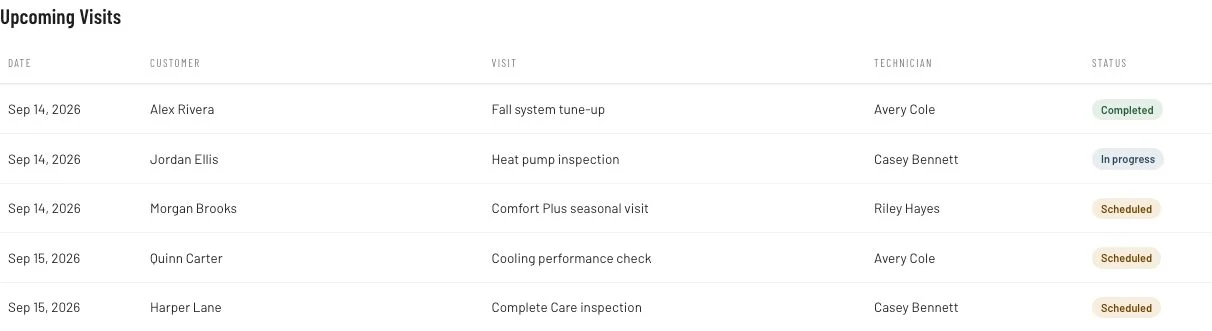
Current IKOK maintenance view with safe fictional HVAC demo data. It illustrates upcoming visits; it does not claim a window-cleaning template, route optimization or automatic invoicing.
Before Mateo leaves, he should be able to identify the customer, property, planned scope and any access instruction the office has recorded. The buyer should ask the vendor to show the saved result, not merely describe it.
Record the completed work and the blocked-access exception
At Harbor Market, Mateo completes the planned exterior service. The interior entry glass remains inaccessible because the display cannot be moved during the visit.
His closeout note should distinguish three facts:
- The exterior scope was completed.
- The interior add-on had been discussed and approved, but was not completed.
- The office needs to decide whether to schedule a return visit, revise the scope or leave the item deferred.
Do not convert the exception into a fictional quantity, price or completion. A useful system keeps the reason and next responsible person visible. The process may still require a manual review; that is better than an automatic-looking result that bills unfinished work.
If the team uses photos, confirm where they are stored, who can access them and whether they remain connected to the correct customer or job. A photo can support a note, but it does not replace the written distinction between completed, deferred and unapproved work.
Reconcile the visit before preparing the invoice
Priya reviews the approved scope against Mateo’s closeout. The invoice should include only work supported by the team’s actual agreement and completion record. If the interior add-on was not completed, Priya leaves it off the current invoice unless the real customer arrangement says otherwise.
IKOK invoice records can show invoice status, payment records and remaining balance. During a product demonstration, verify which information is entered manually, what carries forward from earlier records and what happens after saving. A displayed status does not prove payment processing, accounting sync or customer consent unless those steps are separately configured and observed.
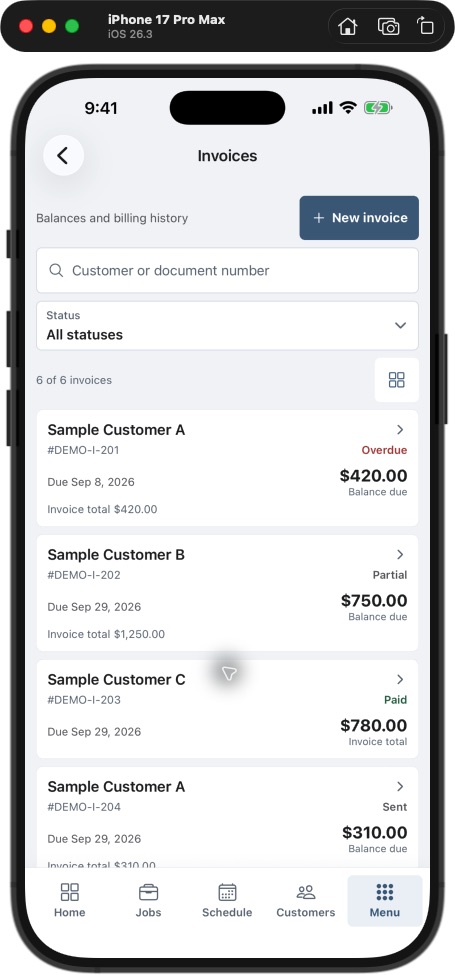
Current IKOK Field invoice view with safe fictional demo data. It illustrates invoice records and states, not a window-cleaning account, automatic recurring billing or a real customer outcome.
Priya also checks whether the invoice period is understandable. If Harbor Market receives one invoice per visit, the completed visit should be identifiable. If the real agreement uses another billing cycle, the team should demonstrate that arrangement instead of pretending every recurring customer follows the same pattern.
Use a recurring-visit exception worksheet
Complete this worksheet before approving the invoice. Keep the source record or saved screen beside each answer.
| Check | Harbor Market example | Evidence required |
|---|---|---|
| Customer and property | Harbor Market — selected storefront | Existing customer and service address |
| Planned visit | Monthly exterior-window service | Current scope and visit record |
| Work completed | Exterior service completed | Field closeout note and status |
| Approved extra | Interior entry glass requested | Recorded approval and scope |
| Exception | Interior entry blocked by display | Field note, reason and responsible person |
| Current invoice | Completed supported work only | Invoice lines matched to approved completion |
| Deferred action | Office reviews return-visit decision | Named owner and next review date |
Use confirmed, needs review, deferred and not applicable as working labels. Avoid “free,” “included” or “complete” unless the underlying agreement and work record support the word.
Compare window-cleaning software with the same scenario
Public US search results for window cleaning software commonly emphasize estimates, recurring work, schedules and invoices. Those categories help define the buyer’s questions, but they do not prove that every product handles the Harbor Market exception well.
Run the same scenario in each demonstration:
- Find the existing customer and the correct storefront.
- Show the planned recurring visit and its scope.
- Record the completed exterior work.
- Add the approved interior request without marking it complete.
- Preserve the blocked-access reason and next owner.
- Prepare an invoice that can be reconciled to the completed, approved work.
- Retrieve the history after leaving and reopening the record.
Mark each action shown, partly shown, not shown or not required. A verbal promise is not the same as a saved result. A long feature list also does not establish route optimization, automatic reminders, stored-payment consent, accounting synchronization or per-pane estimating.
Pilot the handoff without inventing savings
Use fictional or safely isolated sample records to test several routine and exception visits. Count observed misses such as:
- duplicate customer or property records;
- planned visits with unclear scope;
- completed work without a usable closeout note;
- approved extras that cannot be distinguished from suggestions;
- deferred work that disappears from the next-action list;
- invoice lines that cannot be traced to completed, approved service.
Do not convert a short pilot into a promised productivity or collection result. Its value is the evidence it gives the owner about configuration, training and product fit.
Questions window-cleaning owners should ask
Does recurring scheduling mean recurring invoicing is automatic?
No. Visit cadence and invoice timing are separate decisions. Demonstrate the actual configured behavior, permissions and customer agreement before relying on automation.
Should an approved add-on appear on the invoice if it was not completed?
Not merely because it was discussed or approved. Reconcile the agreement, completion record and real billing terms. Keep deferred work visible without presenting it as completed.
Does a calendar prove route optimization?
No. A schedule can show dates and assignments without calculating an optimized route. Treat route optimization as unverified unless the exact behavior is demonstrated.
What if the customer has several storefronts?
Test whether the customer, service address, visit, scope and invoice remain attached to the correct location. Do not rely on the customer name alone.
Make the demo prove the exception
Bring one recurring customer, one one-time add-on and one access problem to an IKOK demo. Ask the team to show the customer, planned visit, field closeout and invoice records that are currently available, then document any automation or specialist requirement that still needs separate verification.
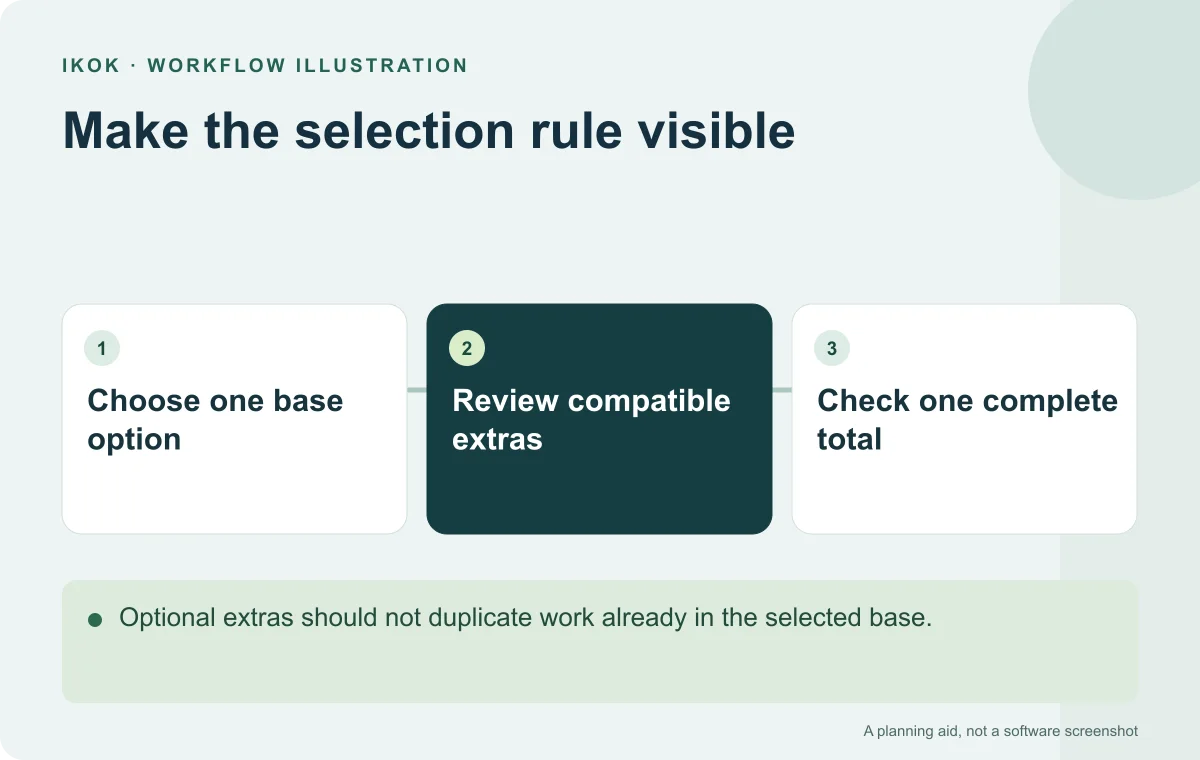
Photo: Original IKOK editorial workflow illustration generated November 26, 2026; not a product screenshot.