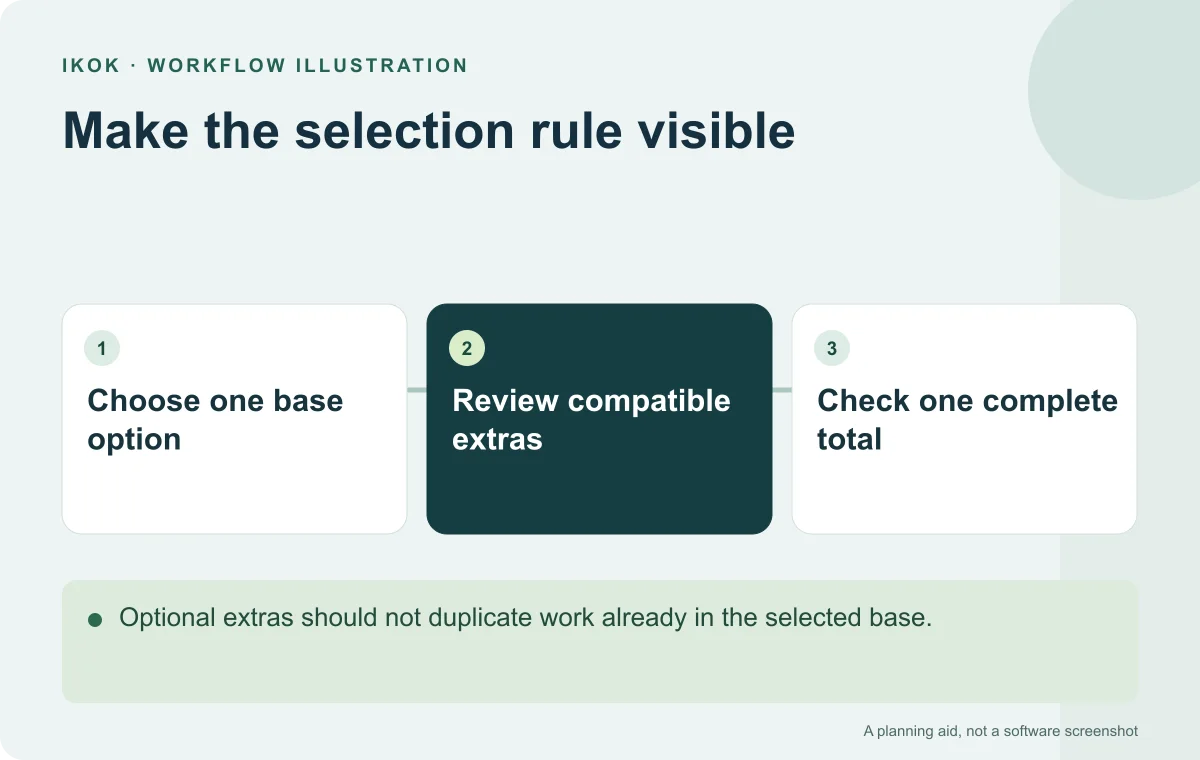
A proposal option and an add-on are different decisions. An option is usually an alternative base package: the customer chooses one suitable offer. An add-on is additional work the customer may choose alongside an eligible base package. Required work belongs in the complete scope; it should not become an optional extra merely to make the starting price appear smaller.
If you are evaluating service proposal software, test how those decisions appear in the final customer document. A list of attractive choices is useful only when the team can determine exactly what the customer has accepted and what the total includes.
Define the choices before building the page
Consider a fictional window-cleaning company preparing an offer for Harper's property. Nadia owns the business and checks the site scope. Joel prepares the customer document. Nadia has identified twelve window openings for the proposed visit and eight removable screens the customer may also want cleaned.
Nadia develops two base choices. Exterior glass covers the exterior glass of the twelve identified openings. Inside and outside covers both sides of those same openings and the stated interior-sill wipe. Each description specifies the actual work and exclusions. Neither option includes screen washing.
Screen washing is a separate optional service for the eight identified screens. Nadia confirms that it is suitable for the proposed visit before Joel offers it. The numbers are fictional quantities for this example, not a universal way to count or price window work.
The offer now has a clear structure: one base choice, plus a separate decision on eligible screen washing. Nadia's site assessment determines the scope and suitability; the proposal presents those decisions to Harper.
Use a selection matrix your team can explain
Before formatting the customer page, Joel writes a short matrix. This is a manual planning aid. It does not claim that IKOK automatically validates combinations or provides a particular customer-side add-on selector.
| Choice | What it represents | Can it stand alone? | How it affects the final scope |
|---|---|---|---|
| Exterior glass | Base option A | Yes, for the assessed scope | Exterior glass on the twelve identified openings |
| Inside and outside | Base option B, replacing A | Yes, for the assessed scope | Both sides of those openings plus the stated sill wipe |
| Screen washing | Optional service C | Not in this particular offer | Eight identified screens, only when separately chosen with A or B |
| Required access preparation | Part of delivering the agreed base work | Not a customer upgrade | Included or otherwise resolved in the complete offer |
Joel checks that choosing B does not also charge for A. He also checks that screen washing is not described as included in a heading and optional in a detail section. Small wording conflicts can change what the customer thinks they are buying.
If a service can legitimately be purchased alone, give it an appropriate standalone offer. “Add-on” describes its relationship to this proposal; it does not establish a universal restriction on how the business sells that service.
Distinguish three kinds of work
Nadia reviews every proposed line with Joel:
- Required work: necessary to deliver the agreed scope properly. Account for it in the offer rather than presenting an incomplete base package.
- Alternative work: a different suitable base choice. Explain what replaces what.
- Optional additional work: a separate benefit or task the customer can decline without making the selected base scope incomplete.
This classification is more useful than deciding whether an item should have a colorful badge. It helps the office answer a practical question: if the customer declines this item, does the remaining proposal still describe a complete offer the contractor can deliver?
For more complex services, compatibility and other prerequisites may need separate review. State the actual dependency. Do not use a software selection control as proof that a combination is technically suitable.
Show the customer a clear decision
IKOK supports customer proposal presentations with one, two or three options, using reusable templates, descriptions, images, prices and supporting detail. The linked product examples use HVAC packages. They demonstrate alternative presentations, not automatic validation of every possible service-and-extra combination.
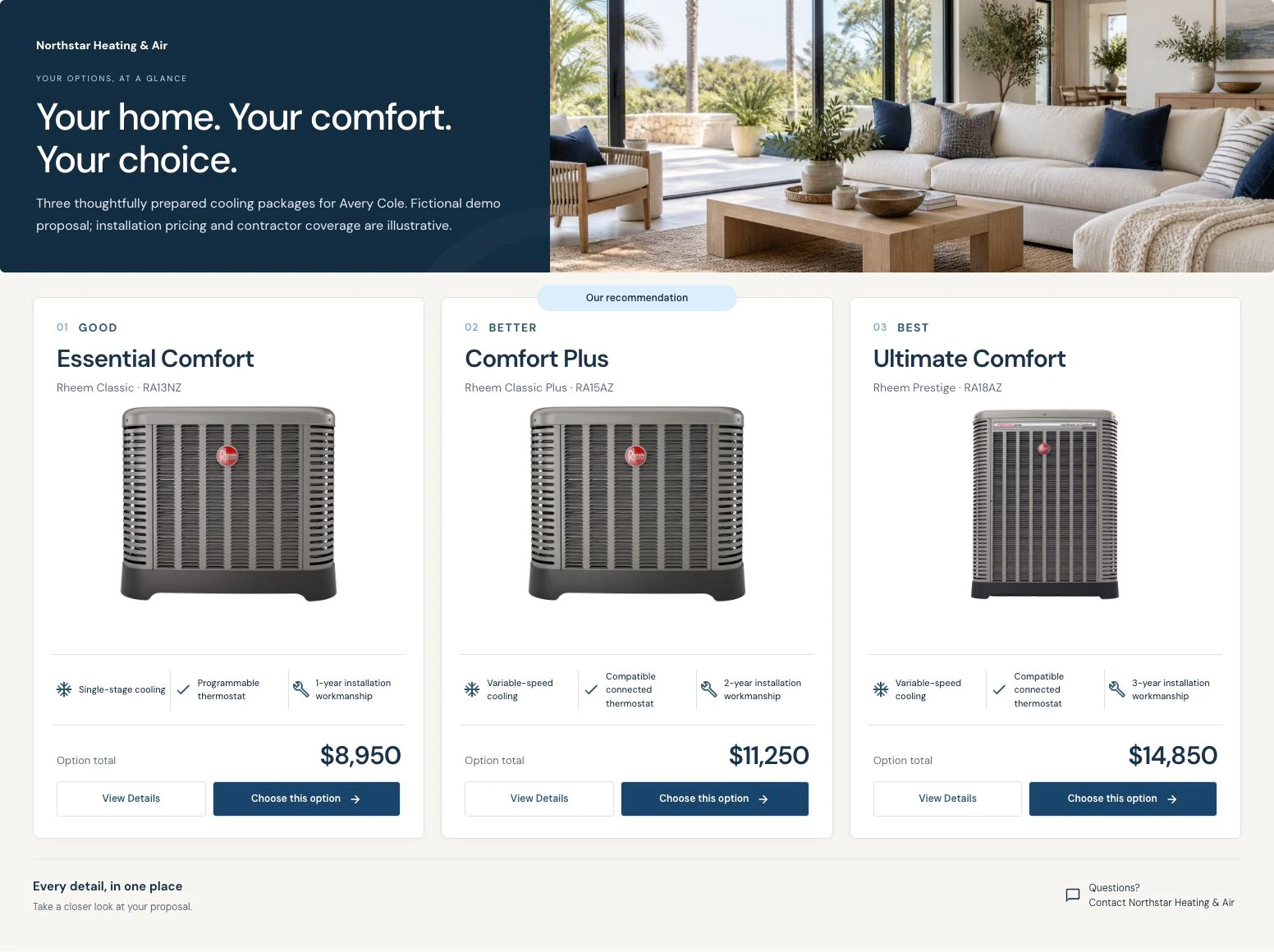
During setup, demonstrate how your intended optional items will be represented and priced. If the required selection behavior is not available in the customer view, use a reviewed quote or revised offer that explicitly lists the chosen base and additional work. Do not simulate a selectable extra with wording that leaves the final total ambiguous.
For Harper, Joel's customer-facing instructions can be simple: “Choose one base service. Screen washing is separate; tell us whether you would like it included so we can confirm the complete scope and total.” Use wording that matches the actual controls and approval process offered to the customer.
Resolve a request without turning it into acceptance
Harper chooses the inside-and-outside service and asks, “What about the screens?” Joel initially reads the question as a request to add screen washing. Nadia stops the handoff: the customer has asked about an extra, not clearly agreed to it.
Joel explains the eight-screen scope and its separate price, then asks Harper to confirm the decision. Until then, he records the screen service as unresolved and keeps it out of the accepted-work instructions.
If Harper accepts the additional work, Joel prepares the complete current offer with B and C clearly identified. If Harper declines it, the final scope includes B only. In either case, the office verifies the actual accepted document rather than reconstructing the job from two fragments of a conversation.
The proposal follow-up guide covers how to frame the next question and identify a revised offer. Its HVAC example is useful here because the communication principle is the same: an unresolved question needs an answer, not an assumed sale.
Reconcile the final total and work list
Before releasing the job, Nadia checks the selected scope against the customer document. Joel can reuse this reconciliation note:
- Proposal and version: identify the current offer.
- Base choice: record A or B for this example, not both.
- Additional work: list each accepted extra and its agreed quantity.
- Declined or unresolved work: keep it distinguishable from included tasks.
- Price: verify the complete total and applicable terms using the business's reviewed pricing process.
- Customer decision: identify what was accepted, by whom and through which actual record.
- Next action: identify who confirms scheduling and any remaining prerequisite.
For B plus C, the check is the reviewed B price plus the agreed C price and any applicable adjustments under the offer's terms. It is not A plus B plus C. If a package already includes a service, do not add a second charge for that same included work.
The final work list should be understandable to a team member who did not hear the sales conversation. A customer asking about another service does not belong on that list as an instruction to perform it.
Test the arrangement on a small batch
For several proposals, record which questions customers ask about selection and inclusion. Look for confusion between alternatives, extras already included in a package, or an optional request that reaches the crew before a decision is recorded.
Revise the specific label or handoff causing the problem. Do not add more choices just to make the page appear fuller. The useful outcome is a current offer the customer and team understand, not a larger number of selectable items.
Questions about options and add-ons
Should a customer ever choose more than one base option?
Sometimes separate scopes can be combined, but define that arrangement explicitly. In this example, A and B are alternatives for the same twelve openings, so selecting B replaces A. Do not assume the customer understands that relationship from package names alone.
Can we describe required work as an optional upgrade?
A complete offer must account for the work required to deliver its stated scope. If declining an item would make that scope incomplete, resolve the offer rather than presenting the item as a discretionary benefit.
Does IKOK automatically prevent incompatible selections?
This guide does not establish that capability. Ask to demonstrate the exact selection and pricing behavior your business requires. Keep the contractor's scope review and final accepted-document check in the process.
Bring one ambiguous offer to a walkthrough
Review your proposal choices with IKOK. Bring a sanitized example with two alternatives and one optional service. Ask to show the customer's selection, the complete price and the final work instructions, including what happens when the customer asks about an extra without accepting it.
Photo: Original IKOK workflow illustration, November 23, 2026. A planning aid for the article; not a product screenshot or a record of an actual customer outcome.