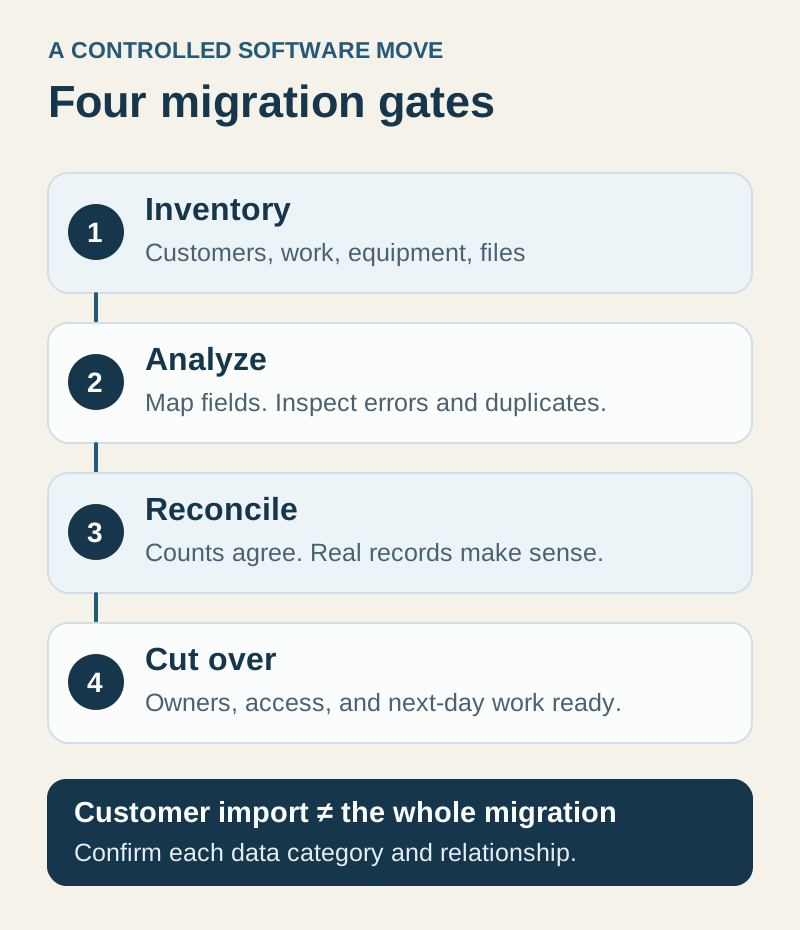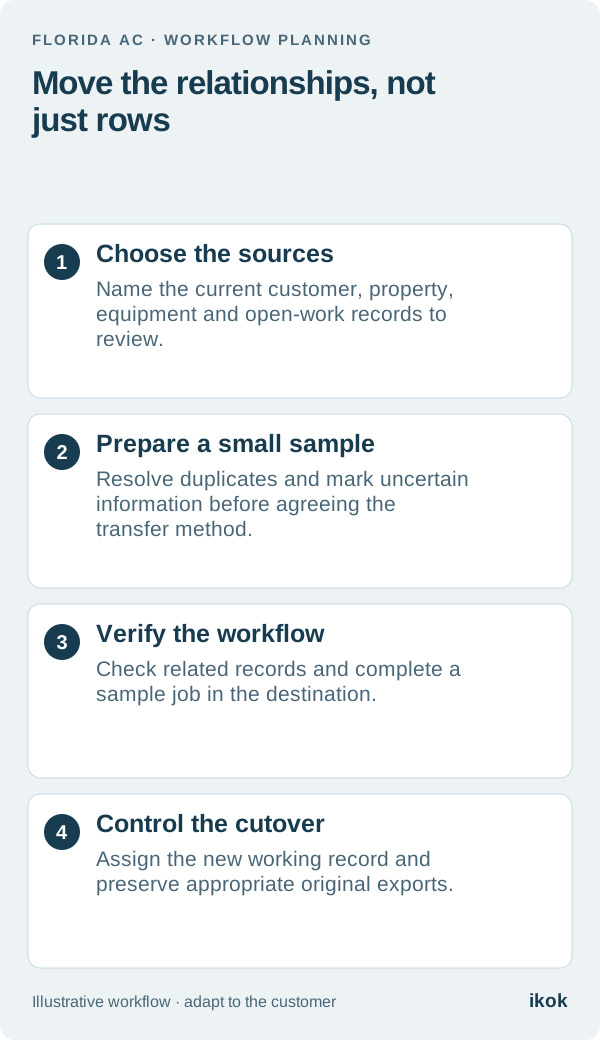
Start with the relationship between the rows
A spreadsheet can be useful until different people need to update the same customer, property and service history during a working day. Moving to software should make those relationships easier to maintain. Simply copying every row into a new screen may carry the old ambiguity forward.
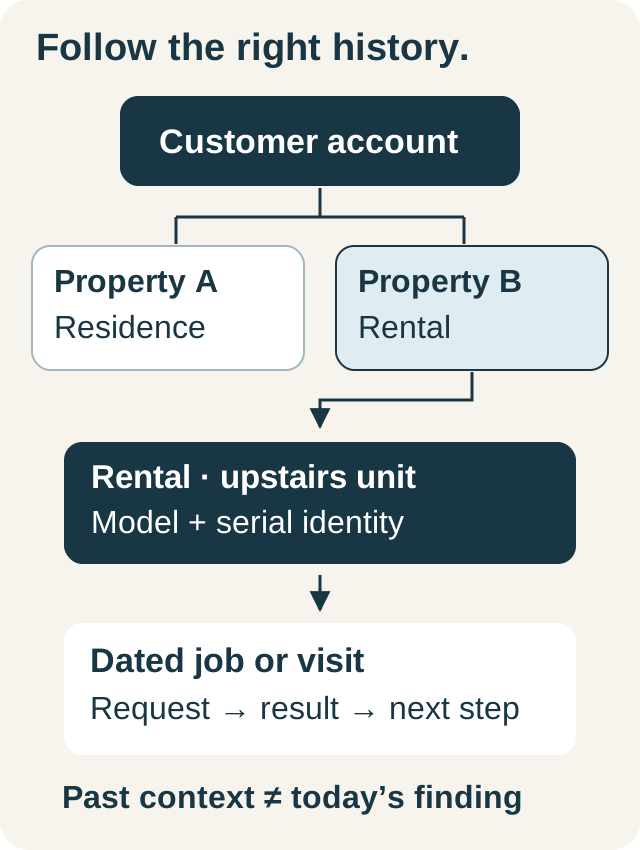
For a Florida AC company, a useful first sample is a customer with more than one property or system. That reveals whether contact details, service addresses, equipment identities and work history stay connected. An easy list of single-property customers may hide the problems that matter on the next service call.
Choose a fictional pilot before the full move
Imagine a company in Stuart has separate sheets for customers, maintenance visits and equipment. An office employee also keeps open estimate questions in a personal worksheet. The owner wants the next technician to see the right history without searching all four places.
The team selects a small representative sample: one straightforward customer, one with two properties and one with an unresolved recommendation. They preserve the original files, identify who maintains each source and agree which records the proposed transfer supports.
This is a review sample, not a claim that every sheet can be imported automatically. The supported fields, relationships, documents and method need agreement before a broad migration.
Prepare a mapping sheet with unresolved questions
Keep original source references so someone can trace a questionable value back to its origin. Do not convert a blank or uncertain field into a plausible-looking fact merely because the destination has space for it.
| Source information | Destination question | Acceptance check |
|---|---|---|
| Customer name and contacts | Which person or business does the record represent? | Correct relationship, contact details and duplicates reviewed |
| Service address | Is this the billing address or a property? | Technician can identify the right service location |
| Equipment description | Which distinct unit does it describe? | Verified identifiers and location remain associated |
| Past service notes | Which dated visit supplied the information? | Historical notes remain distinct from current findings |
| Open recommendation | Who owns the next customer decision? | Status and next action survive the move |
| Financial documents | Which records are in the agreed transfer scope? | Original references and accounting responsibilities remain clear |
Mark excluded records and unsupported fields explicitly. A successful customer transfer does not prove that equipment, attachments, agreements or financial history moved as well.
Check identity before testing volume
Review duplicates with the person who understands the customer relationship. Two similar names can be different people; two differently written addresses can describe the same property. Avoid merging solely to make a row count look tidy.
For the sample, verify the relationships by opening the destination records and following the work. Can the office find the second property? Does the right equipment appear with the intended context? Is the old recommendation still attributed to the correct date and unit?
Keep a list of corrections and decisions. The equipment record guide is useful when a sheet contains several serial numbers in one cell or a replacement has overwritten the original asset's identity.
Test a job before choosing the cutover date
Use the prepared sample to create or review a visit, assign the technician, locate the history and prepare the appropriate customer document. Then make one change, such as moving the appointment, and verify that the office and technician can find the same current information.
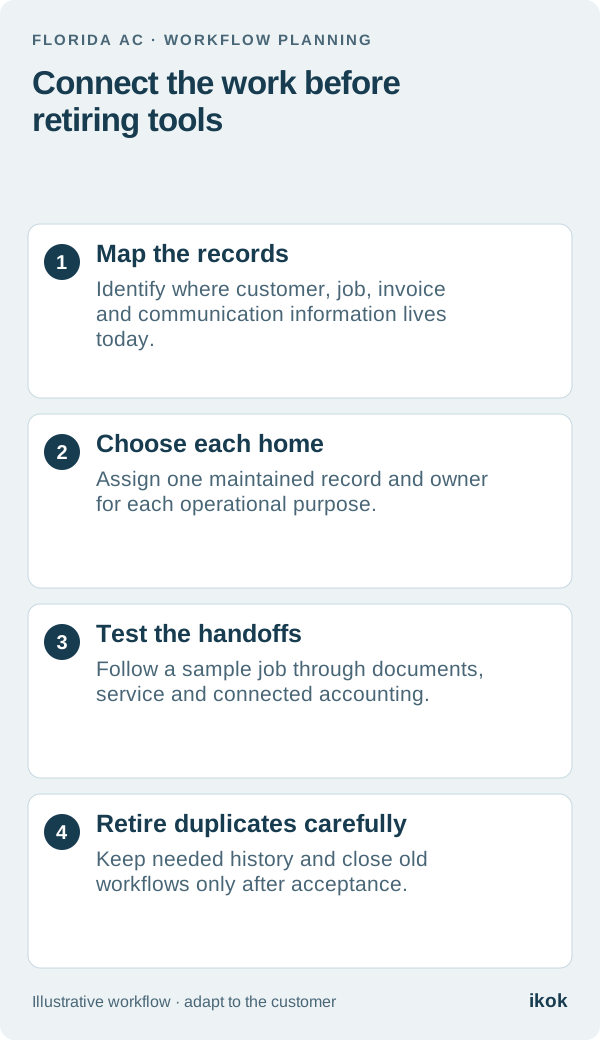
Agree when new work starts in the destination and who can still consult the old sheets. Preserve the appropriate originals under your data-handling process. If both systems keep accepting edits indefinitely, the team will need an explicit reconciliation process rather than assuming the copies remain identical.
Set a review point after the first working period. Capture missing information and misunderstandings before expanding to more records or retiring the old workflow.
Review the supported IKOK setup
IKOK brings customers, properties, equipment, jobs, documents and maintenance context into connected workflows. Discuss which records can be transferred, how they will be checked, what assistance is required and any associated cost. Do not assume an automatic move of every spreadsheet or historical document.
Use the software migration checklist for the broader transition. The pilot succeeds when a real office-to-technician task works with verified records, not when an upload reports the largest possible number of rows.