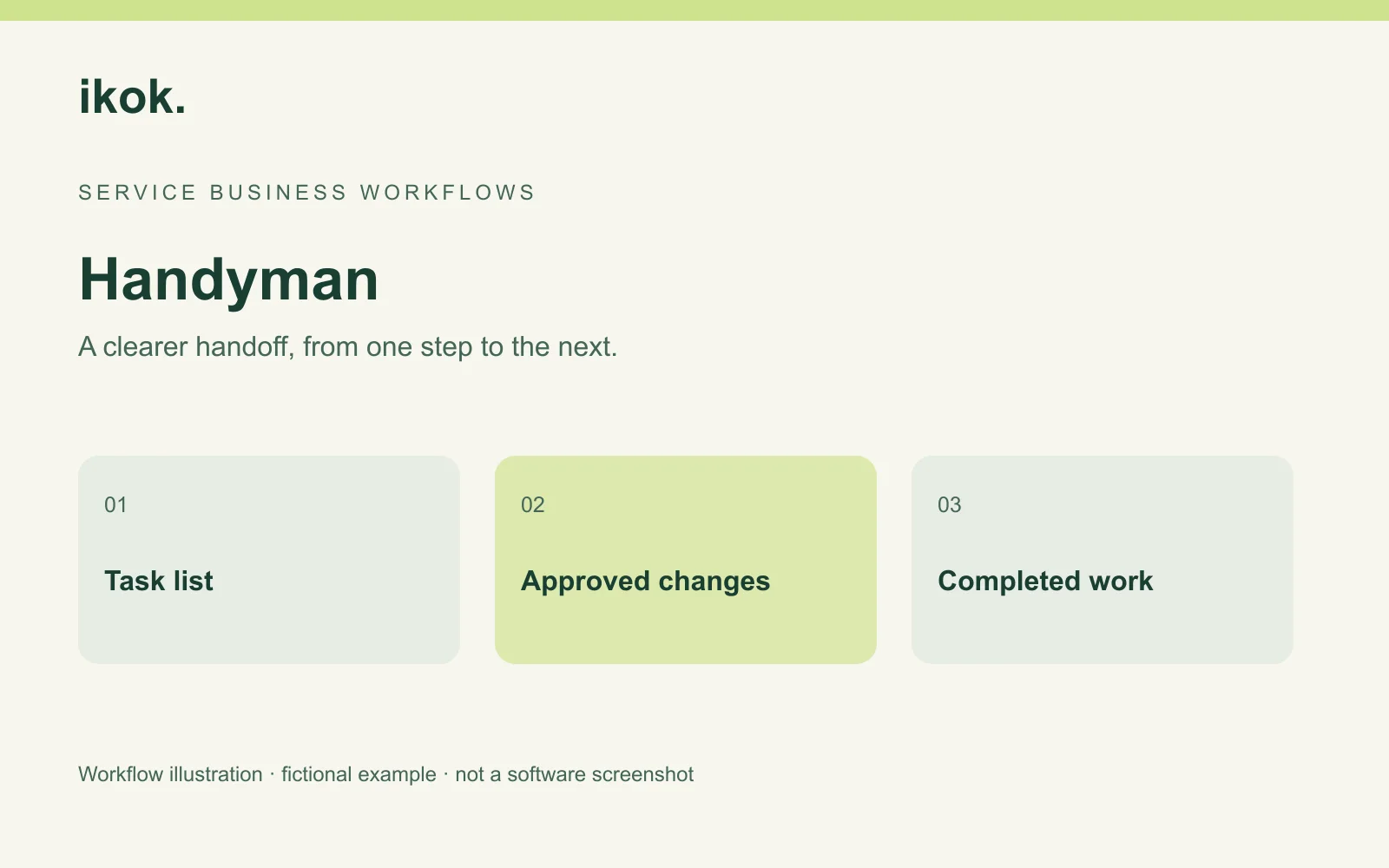
Useful handyman estimating and invoicing software keeps a multi-task visit understandable from the first quote to the final bill. The customer should be able to recognize each promise, and the owner should be able to distinguish an accepted addition from an unfinished task.
Maple Handywork is a fictional owner-operated business. Casey agrees to install a shelf and adjust a door. At the property, the customer asks for a curtain-rail installation, but a customer-supplied fitting is missing. This walkthrough follows the decisions through IKOK's customer, quote, job and invoice workflows. Actual screenshots use separate demo records, including clearly identified HVAC examples.
Start with a task list, not a vague package
Find the customer in Customers, check the service location and confirm who can approve the work. Write each requested task in terms the customer recognizes. Record which materials the customer supplies and which details require an assessment before you can finalize a price.
In Sales → Quotes, enter the reviewed tasks with quantities, prices, terms and notes. A shelf installation and a door adjustment can appear as identifiable work rather than one unexplained “handyman services” amount. Your business supplies the scope and prices; no local estimating database or construction takeoff is assumed.
Reuse the wording after reviewing it
IKOK's Save As Quote Template keeps reusable items, pricing, terms and notes while leaving customer details separate. Start with one common service description that you have checked, then adjust it to the next property and task.
A practical template has more than the task name. For Casey's shelf example, it prompts a review of the location, customer-supplied shelf, agreed fixings and exclusions. A remembered price is not enough if the next wall or access situation is different.
| Task | Fictional scope | Before quoting |
|---|---|---|
| Shelf | Install the agreed customer-supplied shelf | Confirm location and supplied items |
| Door | Perform the agreed adjustment | Assess what the request actually involves |
| Curtain rail | New request during the visit | Agree scope, price and required materials |
| Return work | Missing customer-supplied fitting | Name the next action before scheduling |
Present options only when they help a decision
IKOK supports customer-facing proposals and custom offerings. If you offer genuine alternatives, describe what differs in the work and price. Do not force every small repair into three packages, and do not label an option “recommended” without a reviewed reason.
The actual proposal below shows how scope and options can be presented. Its equipment and prices belong to a fictional HVAC demonstration, not to Maple Handywork or a ready-made handyman service library.

The small-crew guide provides a fuller example of reusable quotes and the office handoff. Apply the document principles to your own service descriptions rather than copying HVAC scope.
Turn accepted work into a saved job
The quote detail has Convert to Job and Convert to Invoice actions. For accepted work still to perform, review the job conversion's type, date, priority and notes. Confirm the resulting appointment in Schedule → Dispatch, including who will attend and the actual time needed.
Do not count a converted quote as completed work. Casey still needs to perform the shelf installation and adjustment, document the outcome, and review the bill. A job's location on a calendar does not establish that the customer accepted every later request.
Handle the added task while the context is fresh
When the customer requests the curtain rail, Casey agrees the new scope and pricing basis before proceeding under the business's approval process. The missing fitting means the task remains open. It should not be described as completed just because the customer wants it included eventually.
Use a short closeout that the next person can understand:
Original accepted tasks: Shelf installation and door adjustment.
Completed today: Record the actual work performed.
Added request: Curtain-rail installation; record the agreed decision.
Not ready: Customer-supplied fitting outstanding.
Next owner: Casey to confirm readiness before offering a return window.
This is a manual note example. It is not an automatic change-order approval or an assertion that IKOK determines the correct legal treatment of a scope change.
Prepare the bill from completed and agreed work
Open the invoice and reconcile its lines with the accepted quote, any addition and the completion record. Check invoice terms and existing payment records. If your arrangement allows a charge before a task is complete, describe that basis clearly instead of presenting it as finished work.
The Field invoice list distinguishes paid, partial, sent and overdue records and supports customer/document search. Review the invoice total and remaining balance as different values.
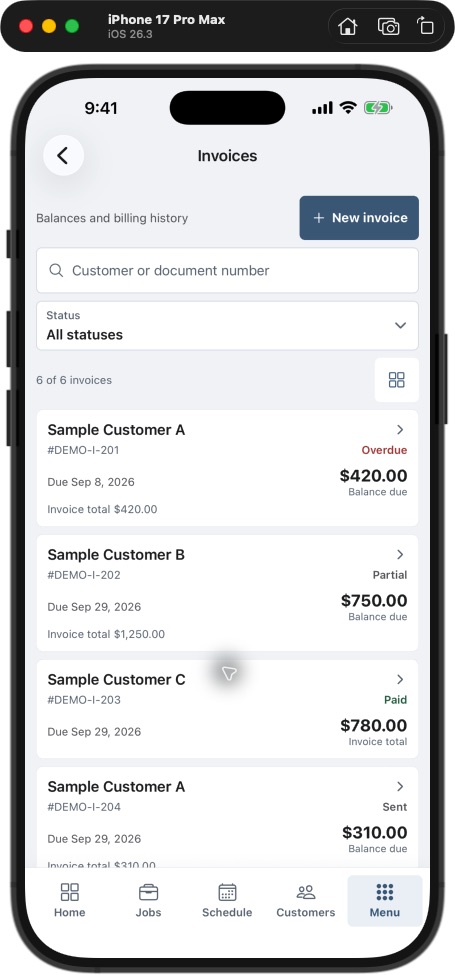
If using QuickBooks integration, check the configured directions and sync history. An invoice visible in IKOK does not by itself prove the same state in your accounting system.
Finish with a usable return list
At the end of the day, separate open work into customer decisions, missing resources and appointments ready to book. Each should have an owner and a specific next step. That is more actionable than a list of jobs all described as “pending.”
Pilot the process on a few multi-task visits. Count missing scope details, corrected invoices and open tasks without an owner. The aim is to find your actual weak handoff, not to claim an unmeasured saving.
Questions handyman owners ask
Can I make a quote template for common small jobs?
Yes, the template workflow preserves reusable quote content. Recheck each task, quantity, price, exclusion and property assumption before sending it to another customer.
Is this the same as automatic construction estimating?
No specialist takeoff, local price database or structural assessment is established here. Use your own qualified scope and prices in the verified quote and invoice workflow.
What should happen to a task that cannot be finished today?
Record what remains, why it is not ready and who resolves the next decision. Review billing under the accepted arrangement and keep the return work distinct from completed tasks.
Bring a task list to your walkthrough
Arrange an IKOK walkthrough with a three-task visit, one addition and one unfinished item. Follow the template, accepted scope, job, completion notes and final balance as one process.
Photo: Original IKOK editorial workflow illustration created for this article; fictional example, not a software screenshot.